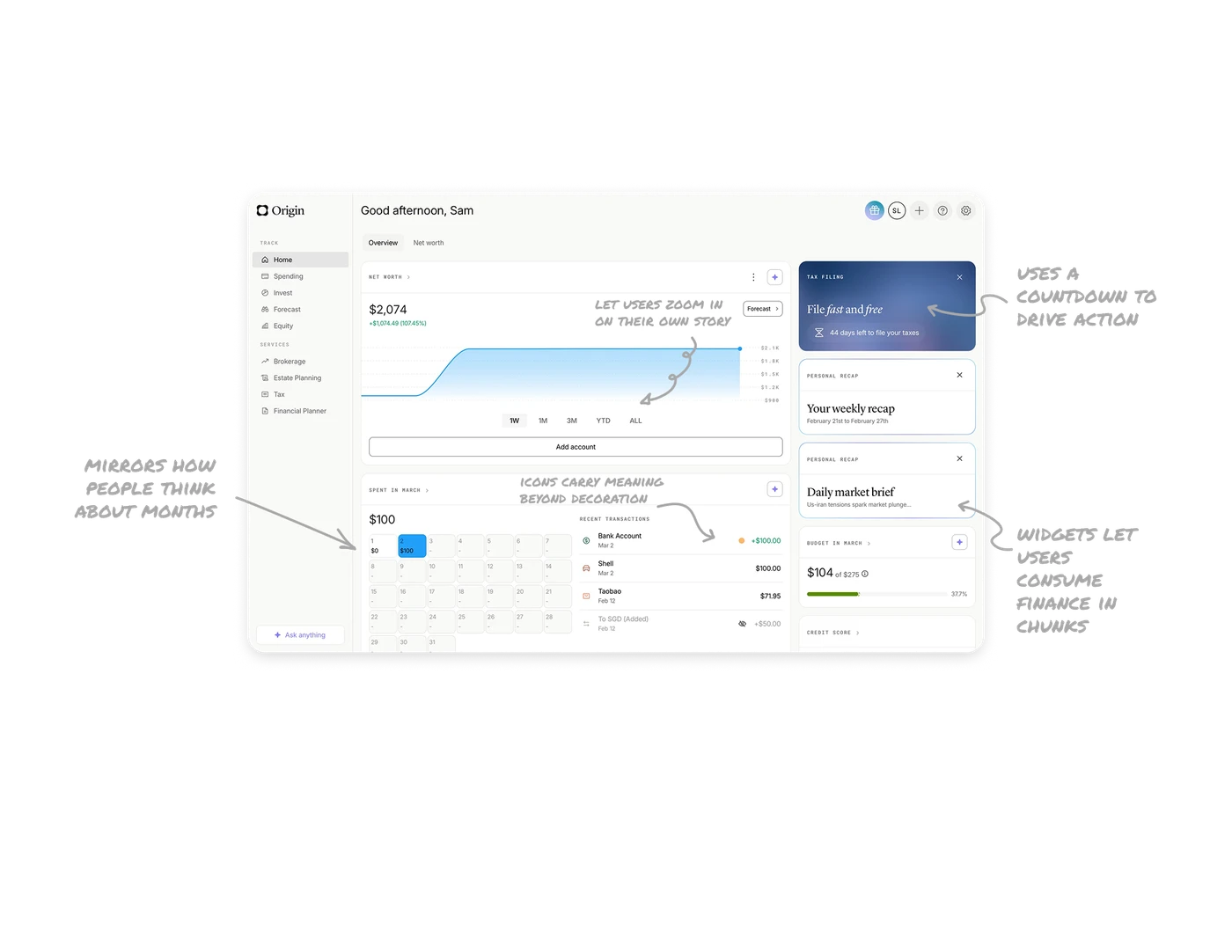
Personal Finance Dashboard

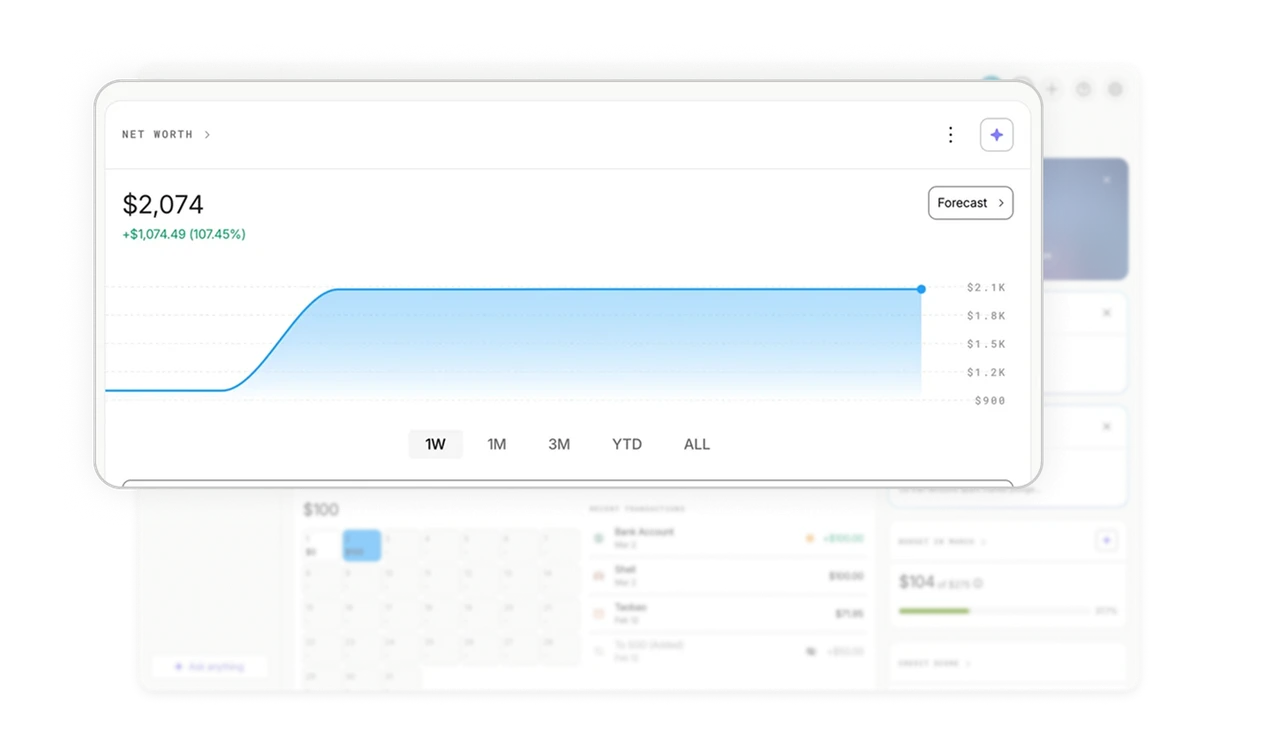
Time range toggles let users zoom in on their own story
The net worth chart sits with 1W, 1M, 3M, YTD, and ALL tabs directly below it. Users control their own timeframe without navigating to a separate settings screen. In financial products, different users have different mental horizons, some check daily, some think in years. Inline range toggles respect both without cluttering the primary view.
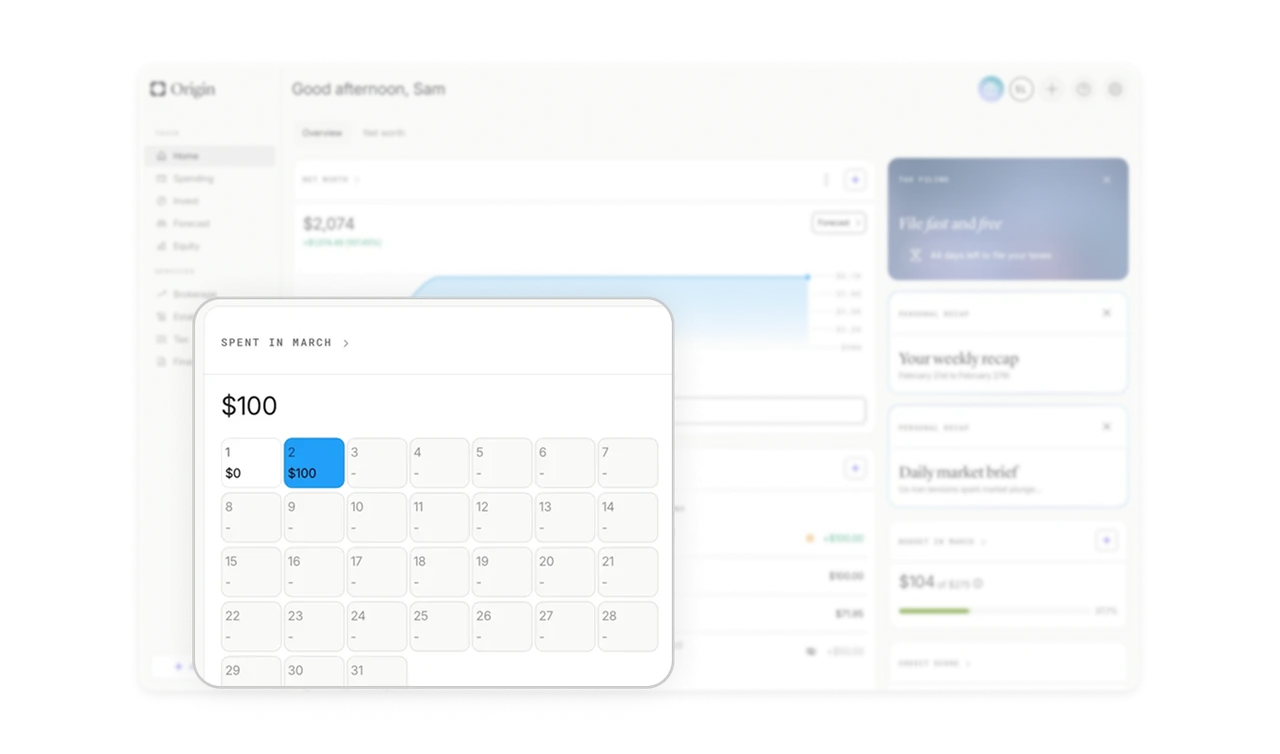
Calendar-grid spending mirrors how people think about months
Monthly spending renders as a real calendar grid with the amount spent on each day. Users instantly recall which day they spent $100 because the layout matches their mental model of a month. Abstract financial charts make users think. Calendar layouts make them remember. This is real-world match applied to data visualization, not just UI chrome.
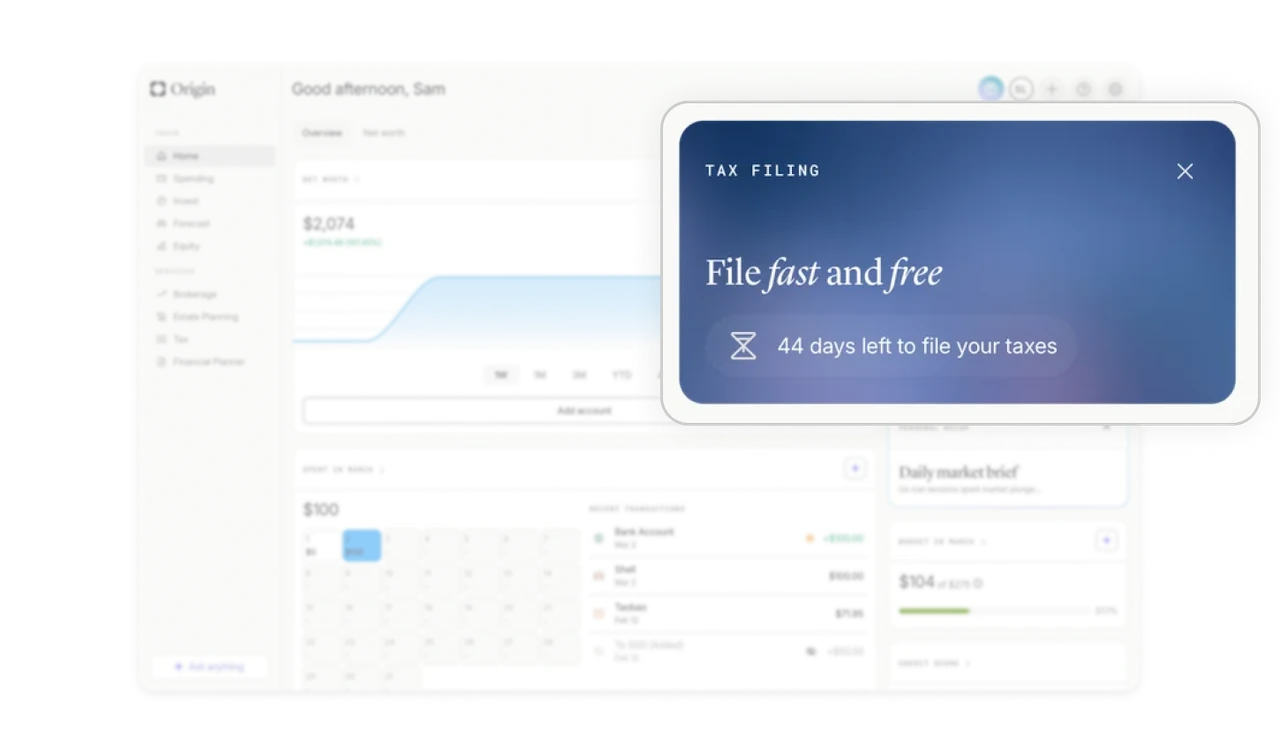
Tax filing card uses a countdown to drive action
"44 days left to file your taxes" sits in a dark blue card with "File fast and free" in elegant serif italic. The countdown creates time pressure without feeling alarmist. Deadline-driven nudges in finance work when they combine a specific number (not "soon"), a clear benefit (fast and free), and a restrained visual treatment that signals importance without panic.
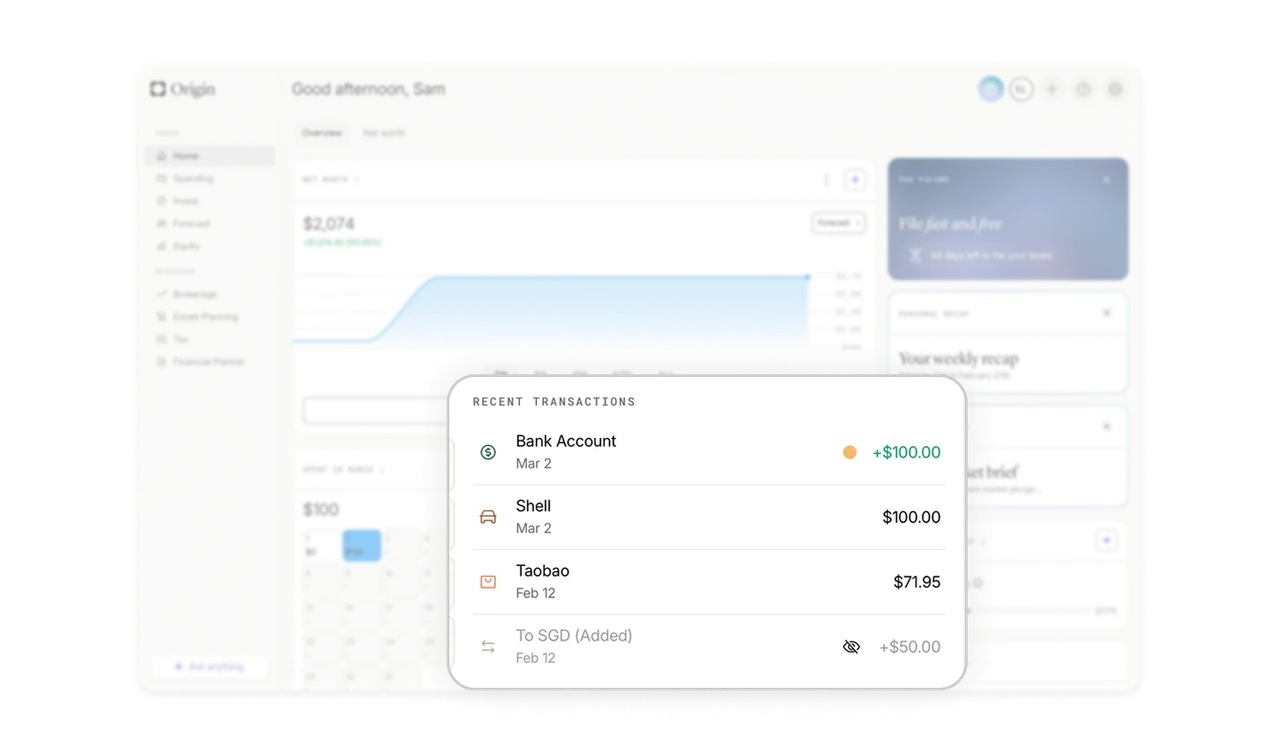
Transaction icons carry meaning beyond decoration
Each transaction shows a category-specific icon, a colored dot for status, and an eye icon for hidden transactions. None of these feel decorative. Each replaces a label the user would otherwise need to read. In dense list views, turning metadata into icons removes vertical space and increases scannability without losing any information.
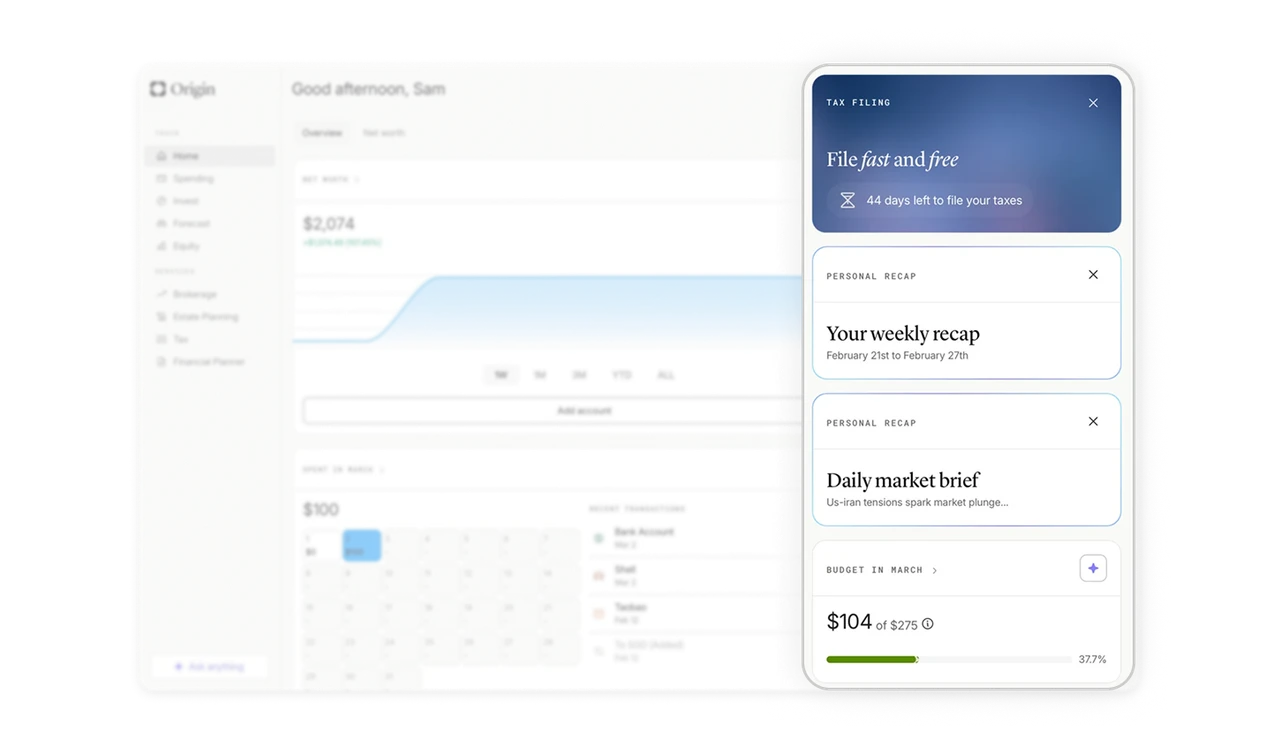
Right panel widgets let users consume finance in chunks
Tax, personal recap, budget, and credit score sit as small independent cards on the right. Each is dismissible and self-contained. Users consume financial information in bite-sized pieces rather than one overwhelming report. Widget-style sidebars also let the product surface timely content like weekly recaps and market briefs without restructuring the main view.
Similar Breakdown Lessons