Bike Search Map

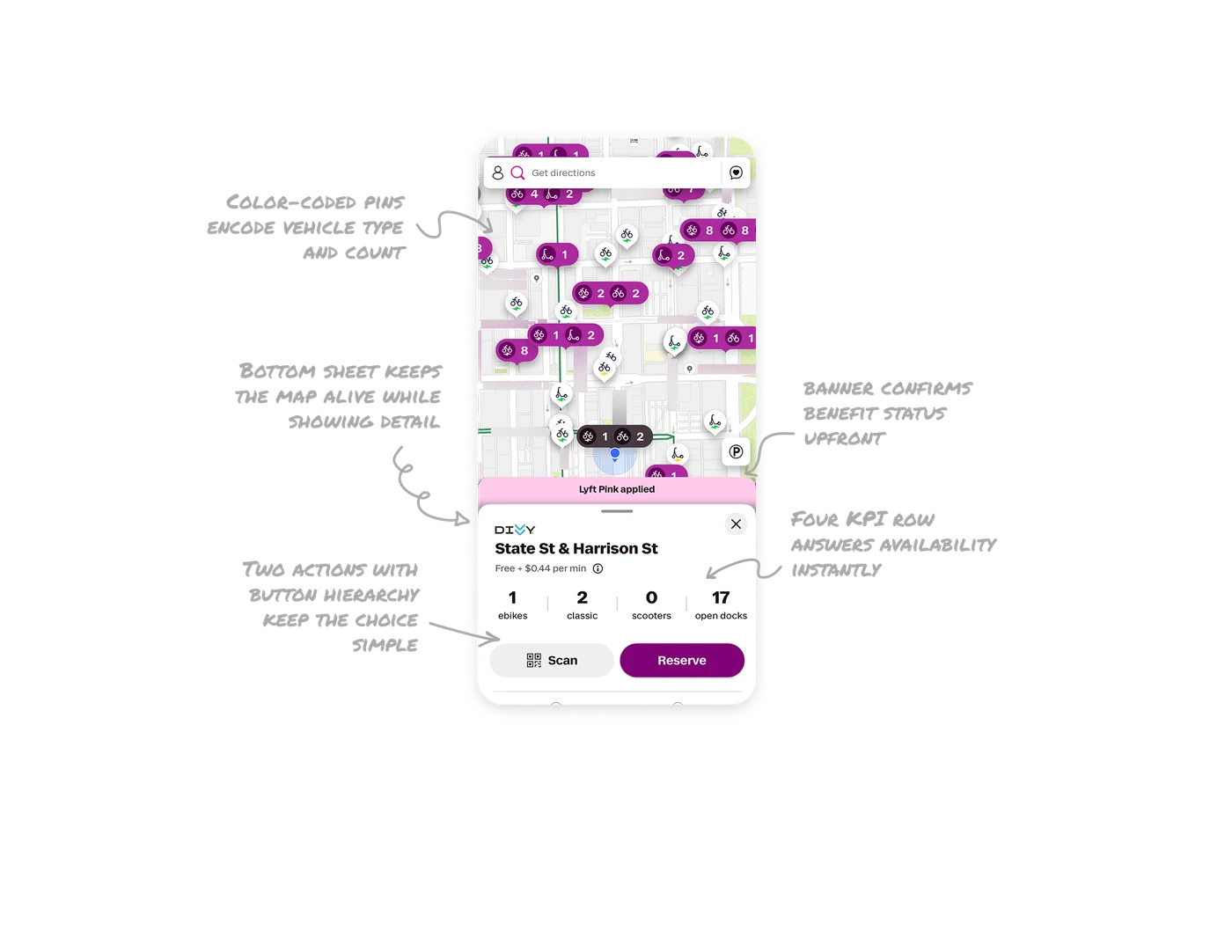
Map pins encode type, count, charge, and eligibility in one marker
Each pin packs several data layers into one shape: a vehicle icon, a count, a purple fill for Lyft Pink eligible rides, and a lightning bolt whose color signals battery charge (green for high, yellow for low). Users read type, availability, perk, and range across the whole city without tapping. Encoding multiple dimensions into one glanceable marker is how you make a dense map scannable instead of overwhelming.
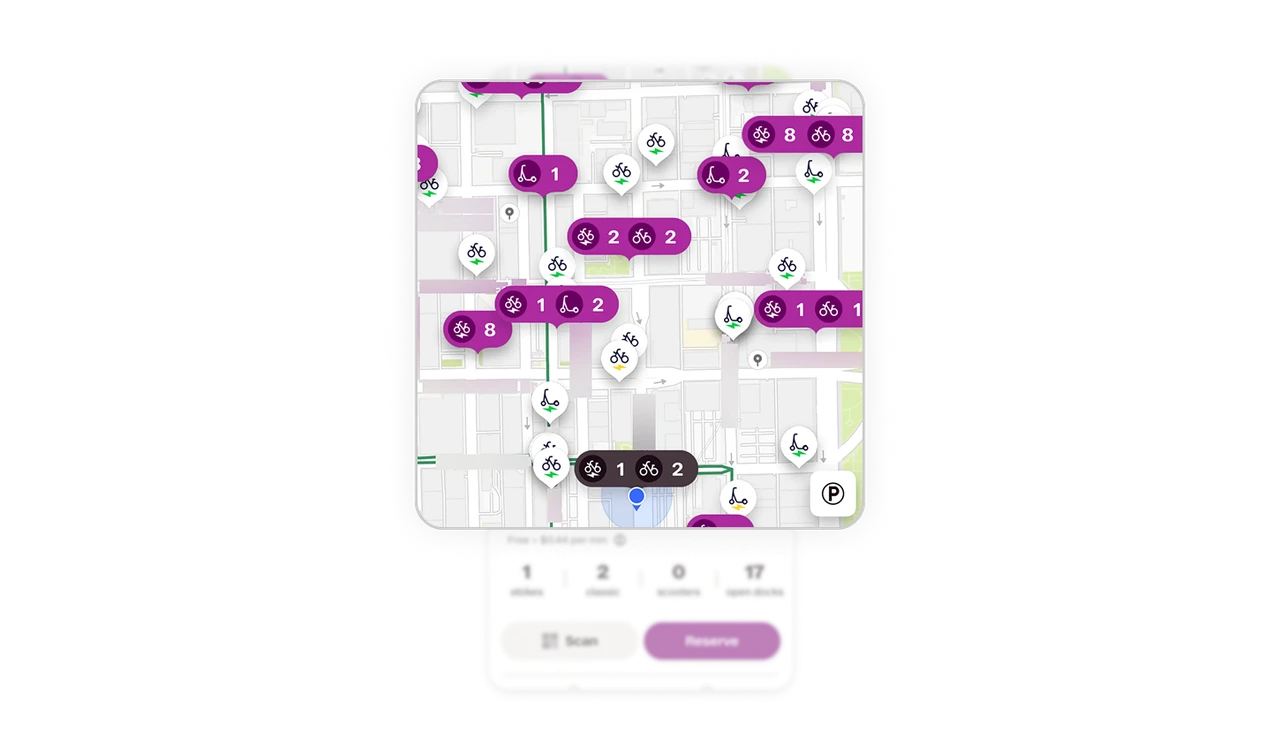
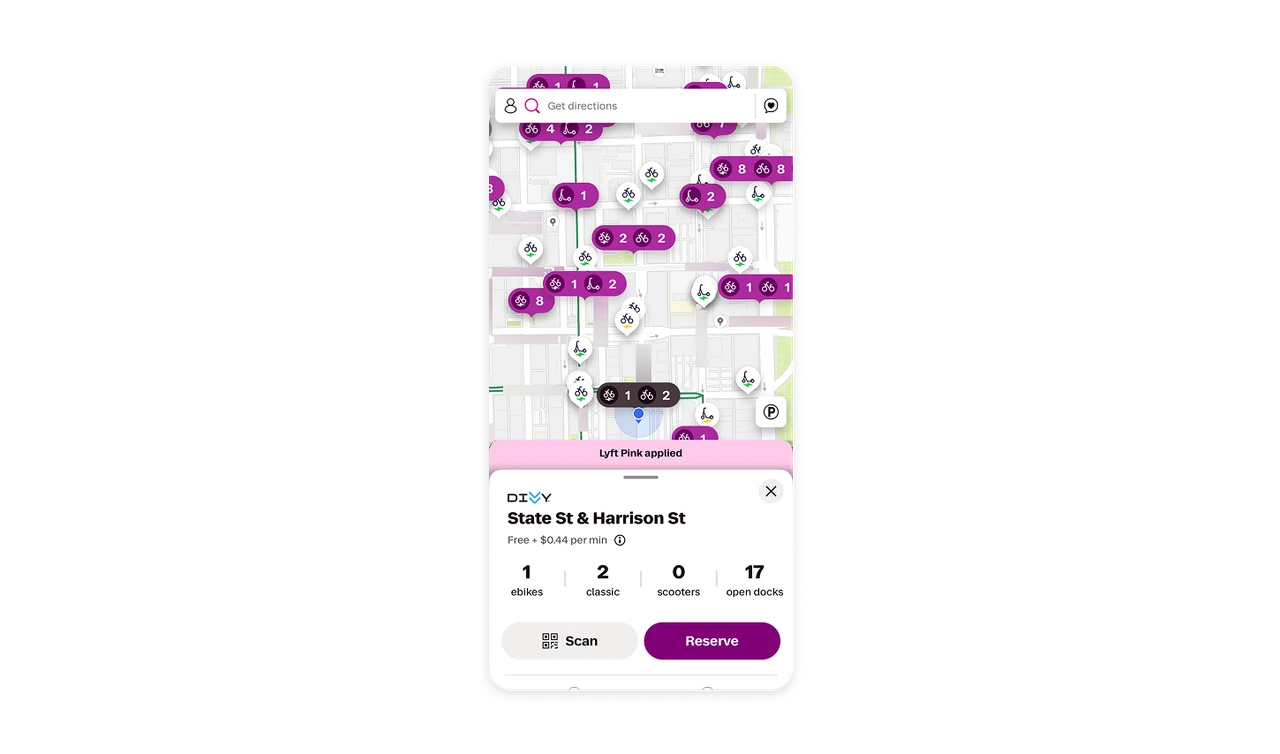
Bottom sheet keeps the map alive while showing detail
Tapping a station opens a bottom sheet with its details while the map stays visible above. Users see station specifics without losing their spatial context or navigating to a new screen. For location-based products, a bottom sheet over a persistent map beats a full-screen detail view because users need to keep one eye on where they are while they evaluate where to go.
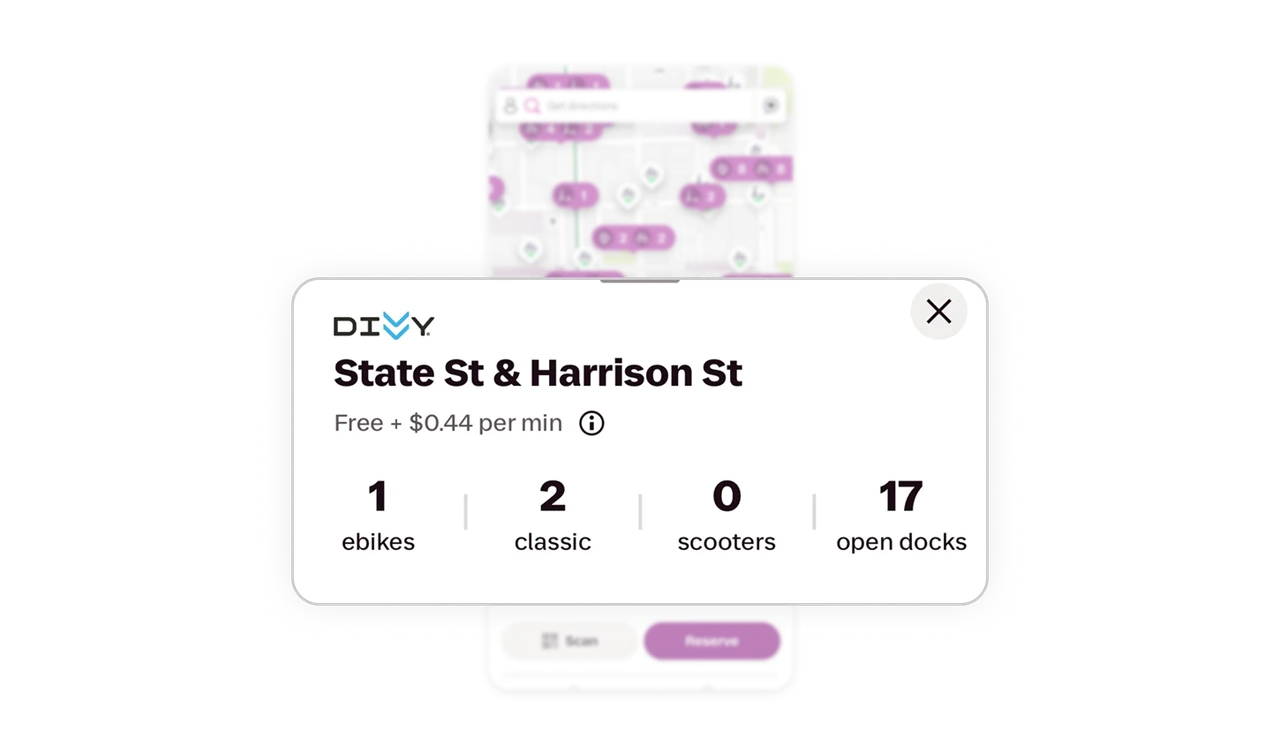
Four-number station KPI row answers availability instantly
"1 ebikes, 2 classic, 0 scooters, 17 open docks" sits as four bold numbers with labels in the station sheet. Users know exactly what is available to ride and where to return it in one scan. Open docks matters as much as available bikes because returning is half the job. Showing both supply and capacity in the same row reflects a complete understanding of the user's round-trip mental model.
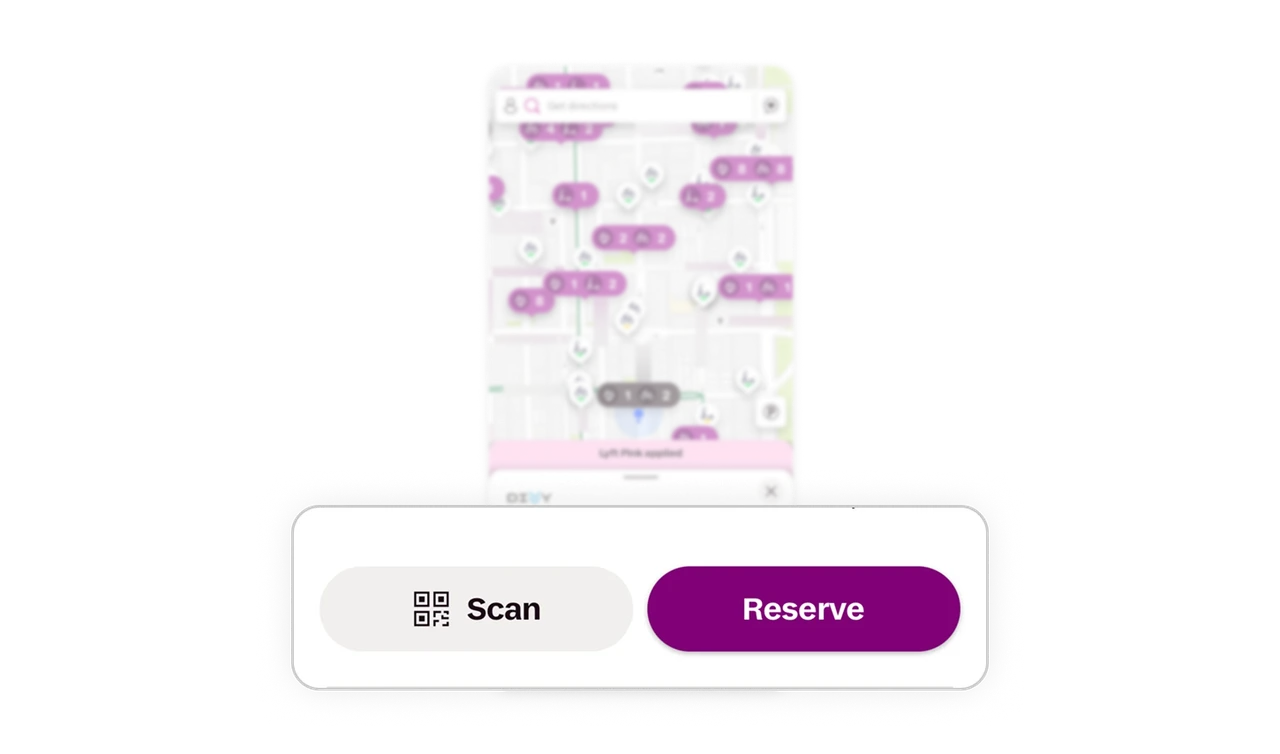
Two actions with button hierarchy keep the choice simple
The station sheet offers only Scan (secondary, outlined) and Reserve (primary, solid purple). Two actions, clear hierarchy, no clutter. Scan is for "I am here now," Reserve is for "hold it for me." Limiting the sheet to two well-differentiated actions respects that a user at this moment has exactly two intents. Button variants do the work of signaling which is the expected primary path.
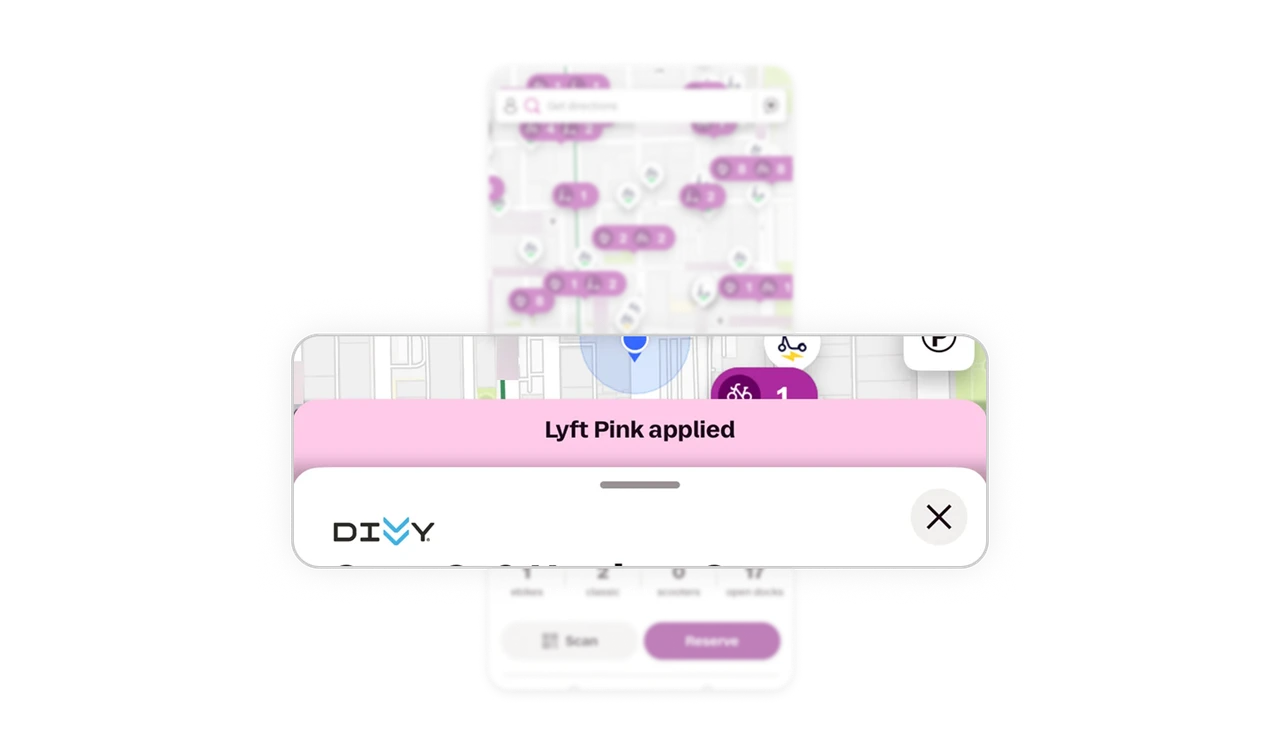
"Lyft Pink applied" banner confirms benefit status upfront
A pink banner above the sheet confirms membership benefits are active before the user commits to a ride. Users know their discount applies without hunting for it at checkout. Surfacing benefit status at the decision point, not after payment, removes the doubt that makes members second-guess whether their perk is working. Proactive confirmation of applied benefits builds quiet trust in a subscription.
Similar Breakdown Lessons







