Flight Booking Process

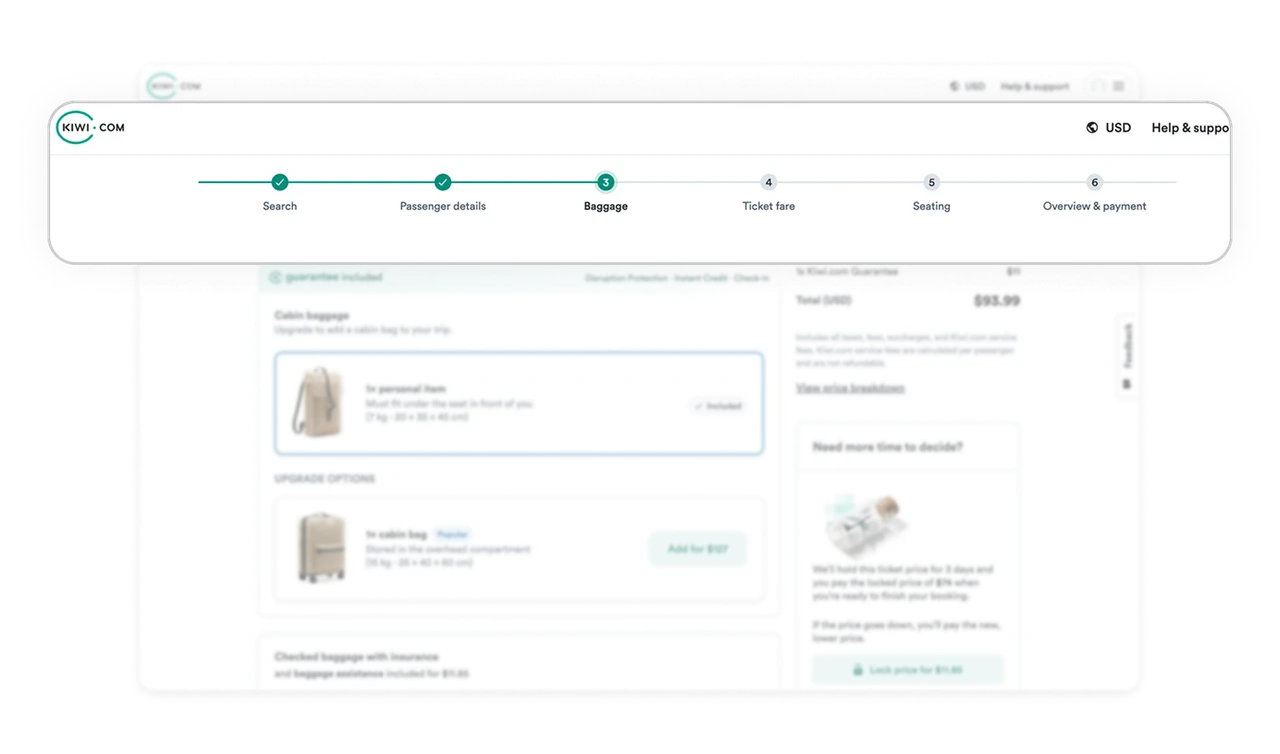
Stepper reduces anxiety in multi step journeys
The top progress stepper clearly shows completed steps, current step, and upcoming steps. In long booking flows, uncertainty creates drop off. By visualizing progress, the interface turns a complex task into a structured journey. Users feel informed rather than trapped inside a process.
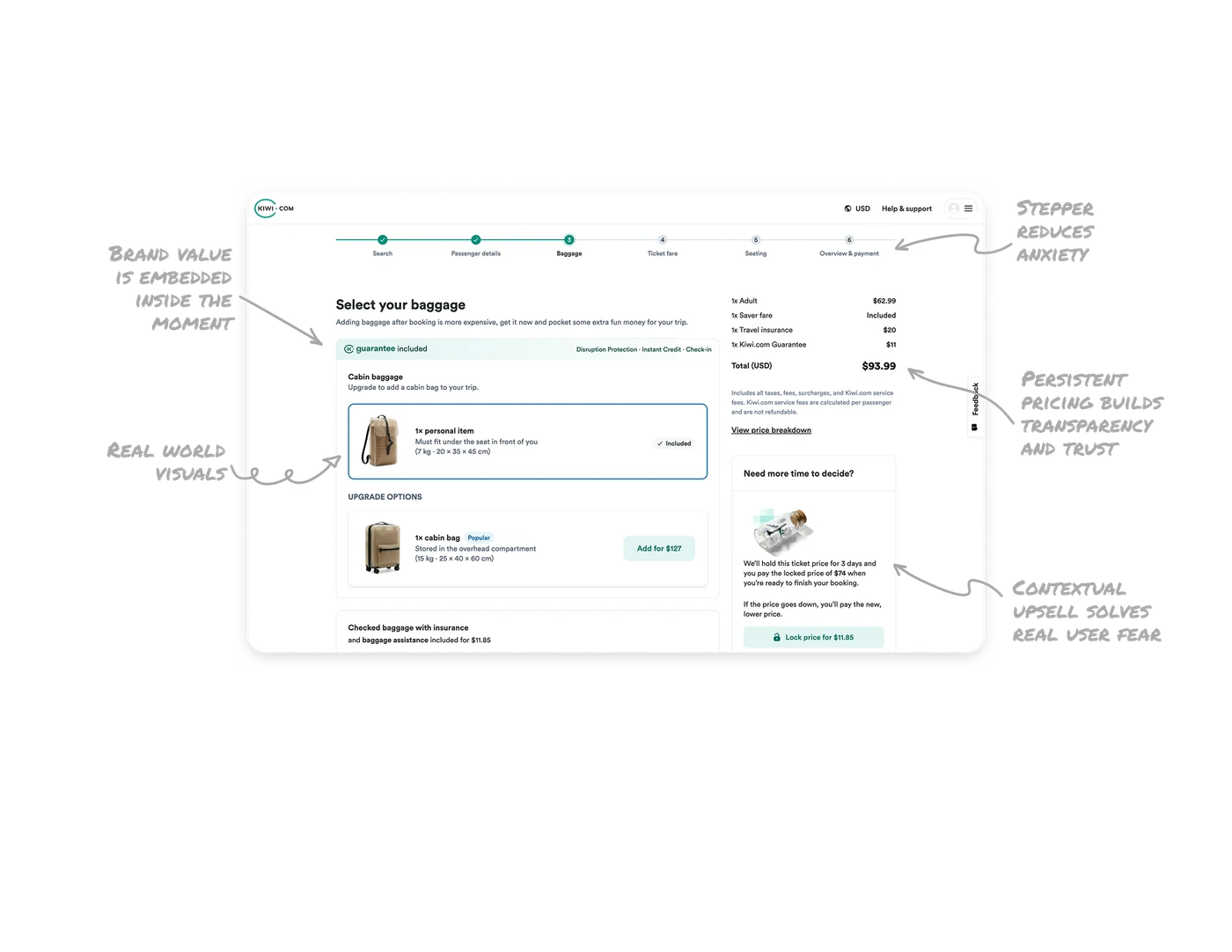
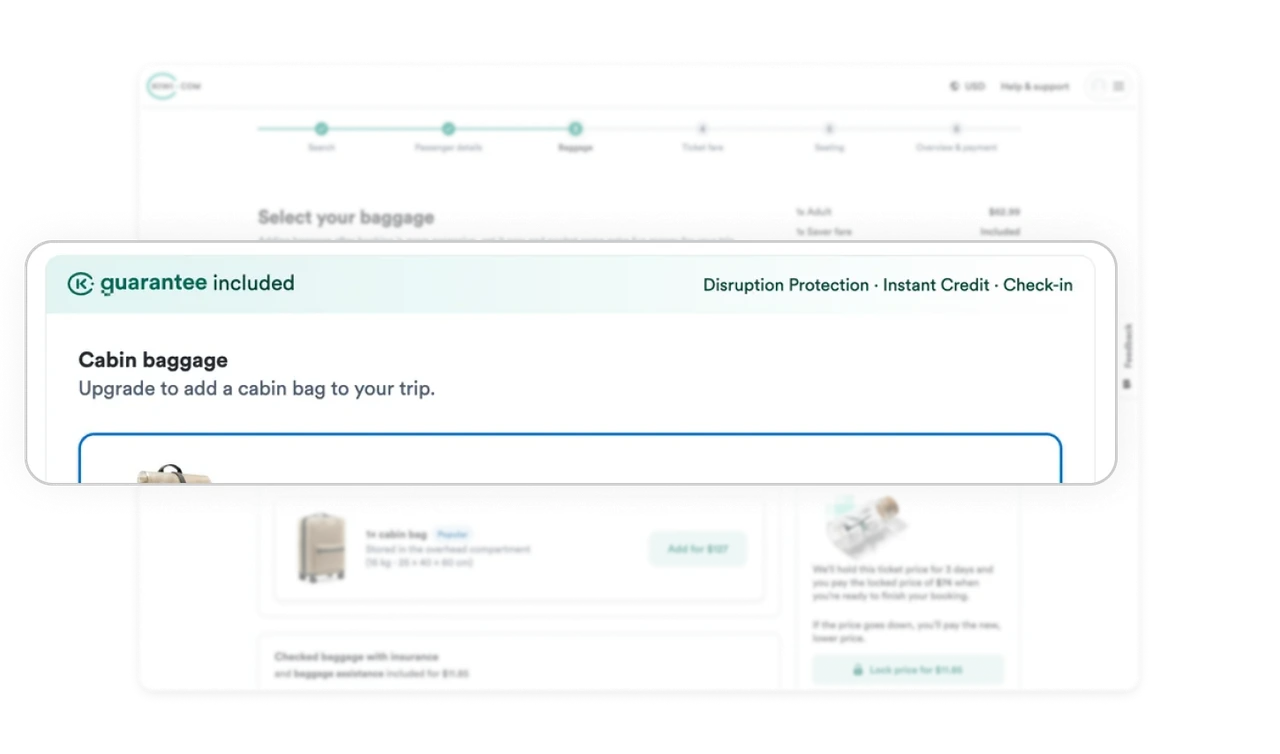
Brand value is embedded inside the decision moment
The Guarantee included banner is placed directly inside the baggage selection area. Instead of promoting brand value on a separate marketing page, it appears exactly where trust matters most. This reinforces differentiation at the moment of financial commitment.
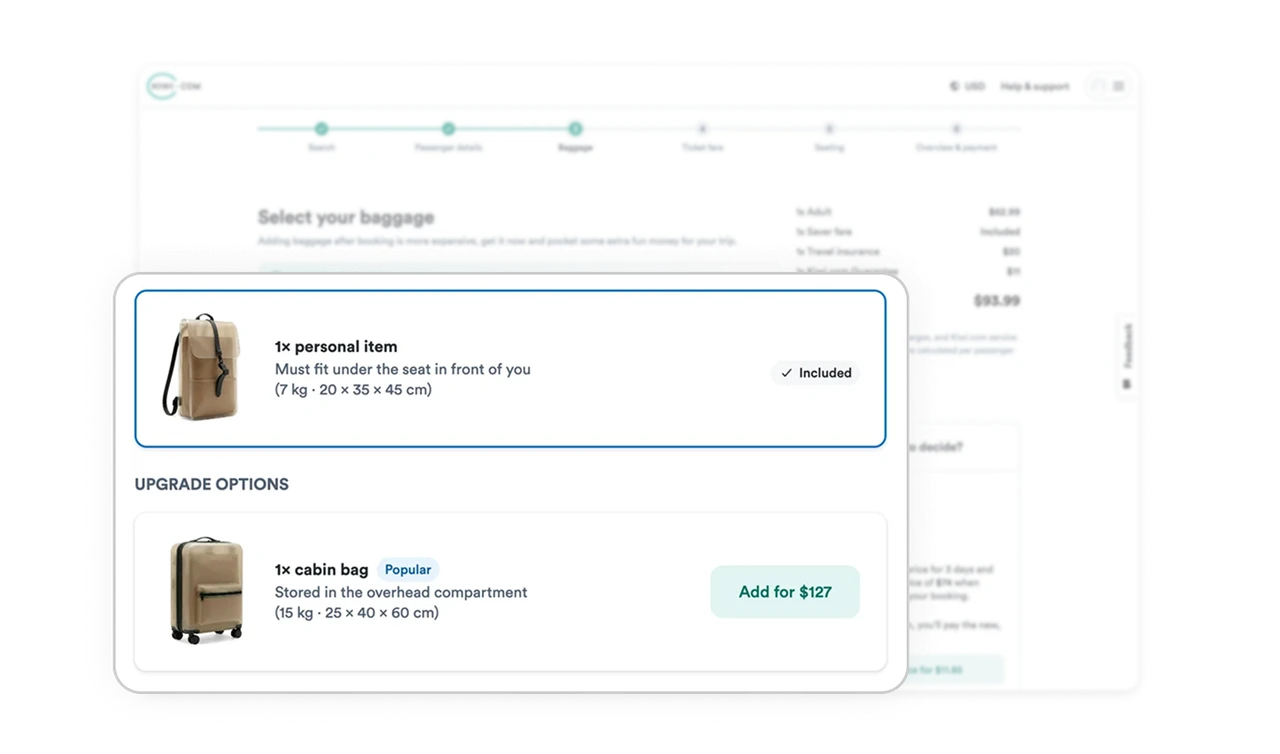
Real world visuals improve policy comprehension
The baggage options use realistic suitcase imagery and dimension details. This real world match helps users instantly understand size differences without decoding abstract descriptions. It reduces cognitive load and prevents post purchase confusion.
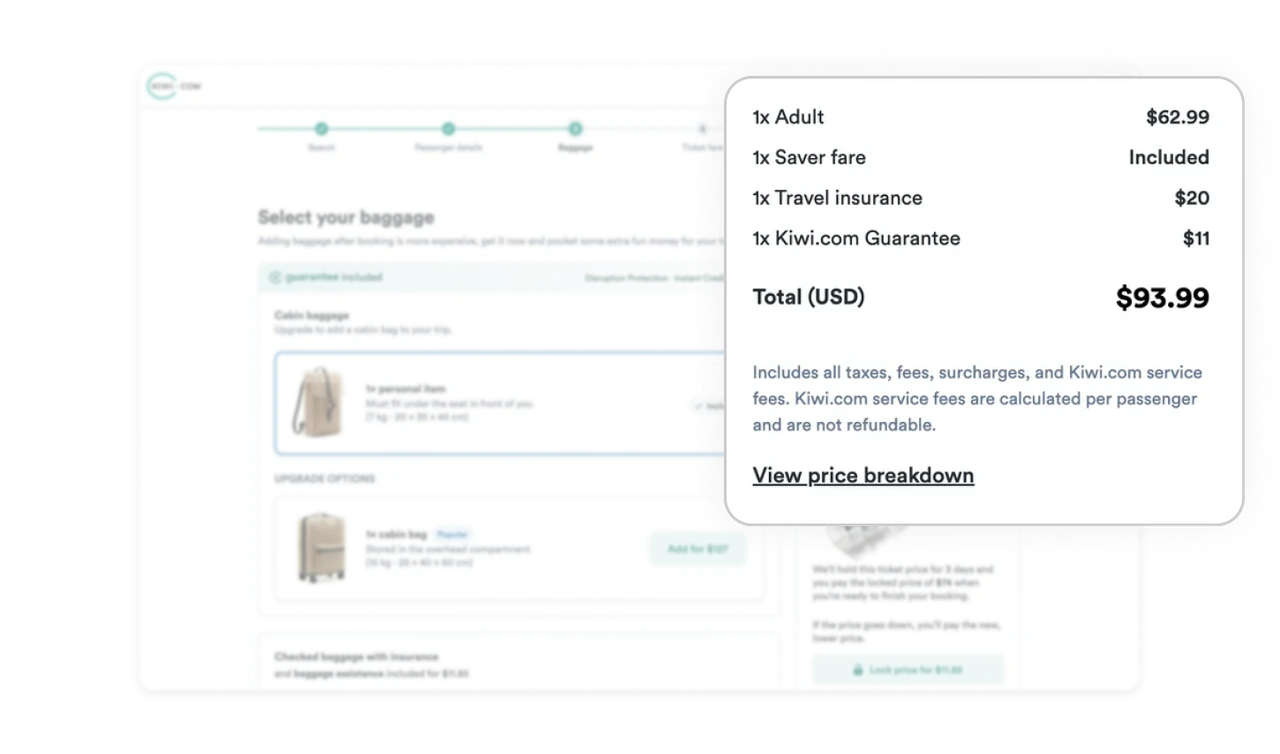
Persistent pricing builds transparency and trust
The total price and breakdown live on the right side throughout the step. Users always see the financial impact of their choices. The expandable price breakdown applies progressive disclosure to keep the interface clean while offering detail on demand. Visibility of cost strengthens trust and reduces surprise at checkout.
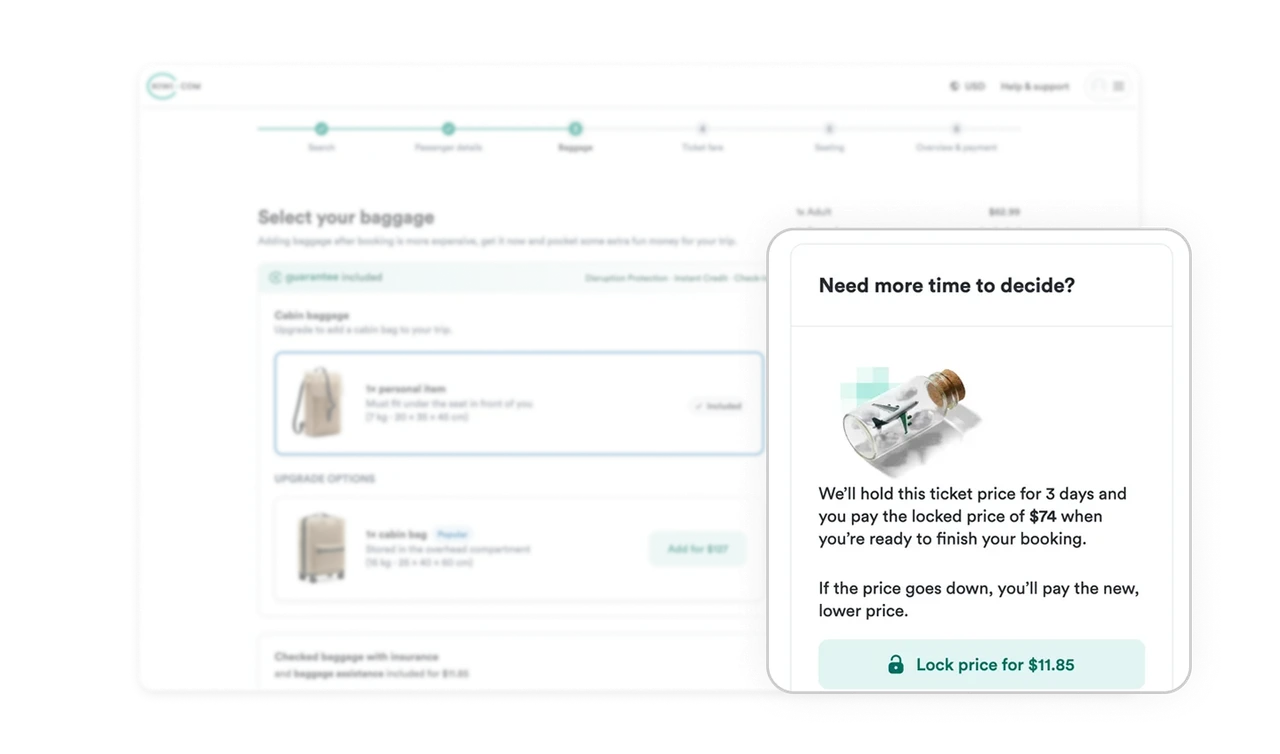
Contextual upsell solves a real user fear
The Lock price option is positioned beside the booking summary with a clear explanation of the benefit. It addresses a real anxiety, flight prices changing. This makes the upsell feel helpful rather than aggressive. When promotions solve contextual pain points, conversion increases naturally.
Similar Breakdown Lessons