Task Dashboard

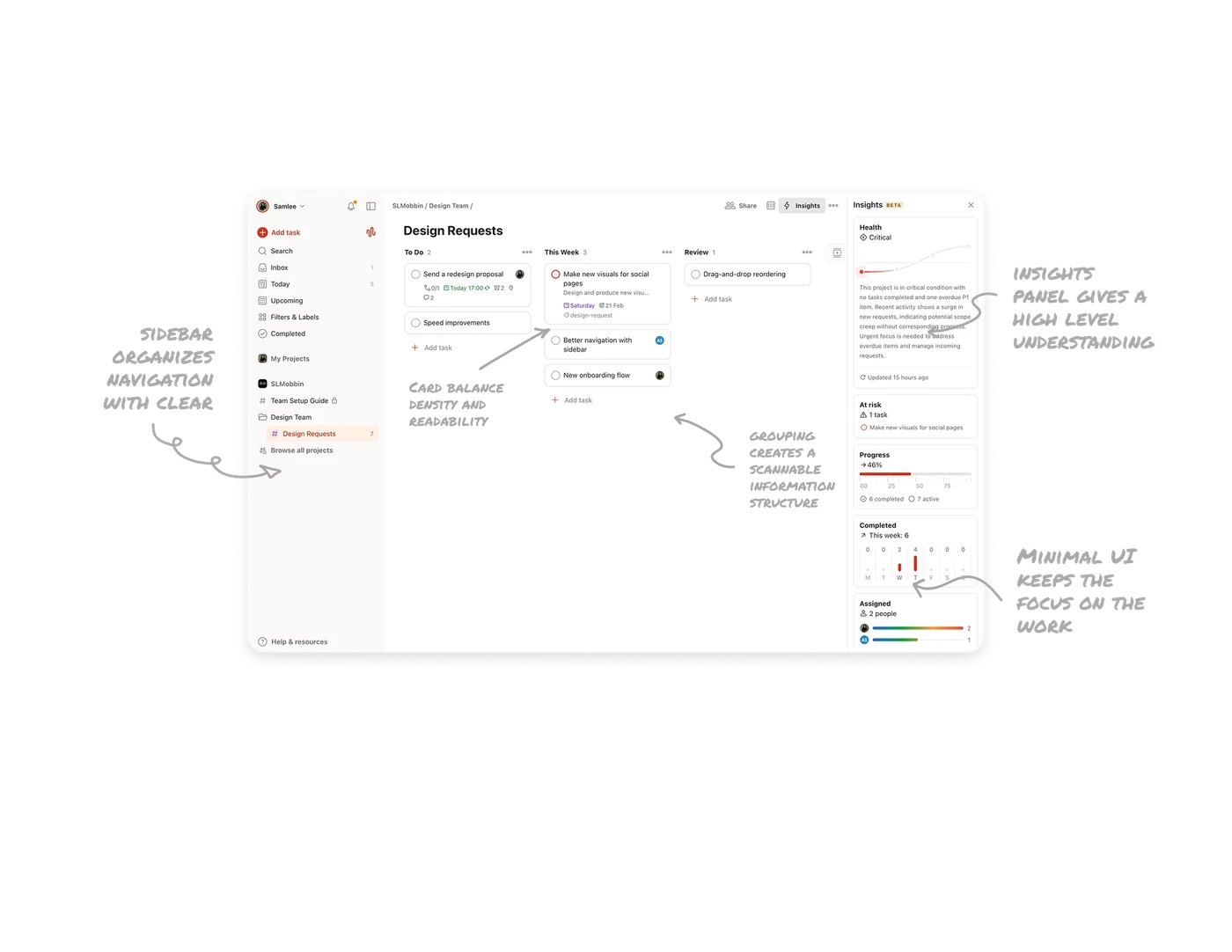
Task grouping creates a scannable structure
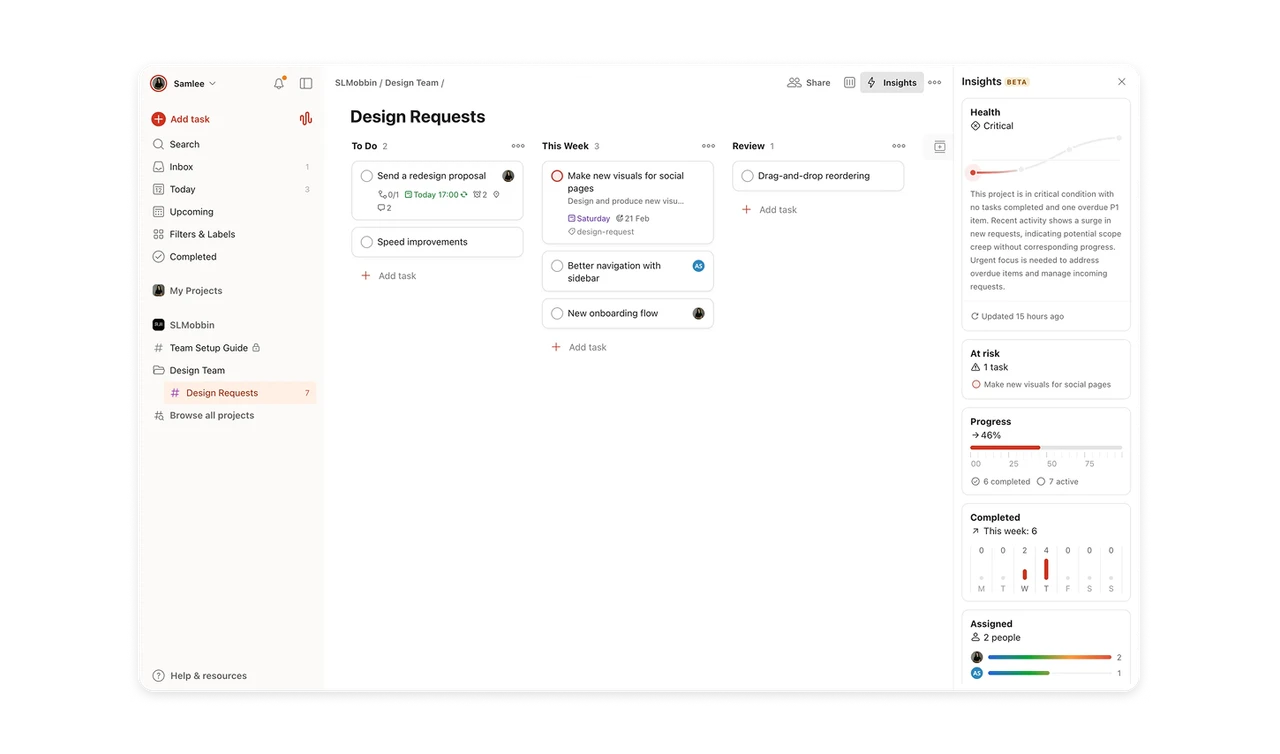
Tasks are divided into clear stages like To Do, This Week, and Review. This grouping creates a natural structure that helps users quickly understand what needs attention now versus later. Instead of showing a long unstructured list, the board format organizes work into meaningful categories. This reduces cognitive load and helps users prioritize faster.
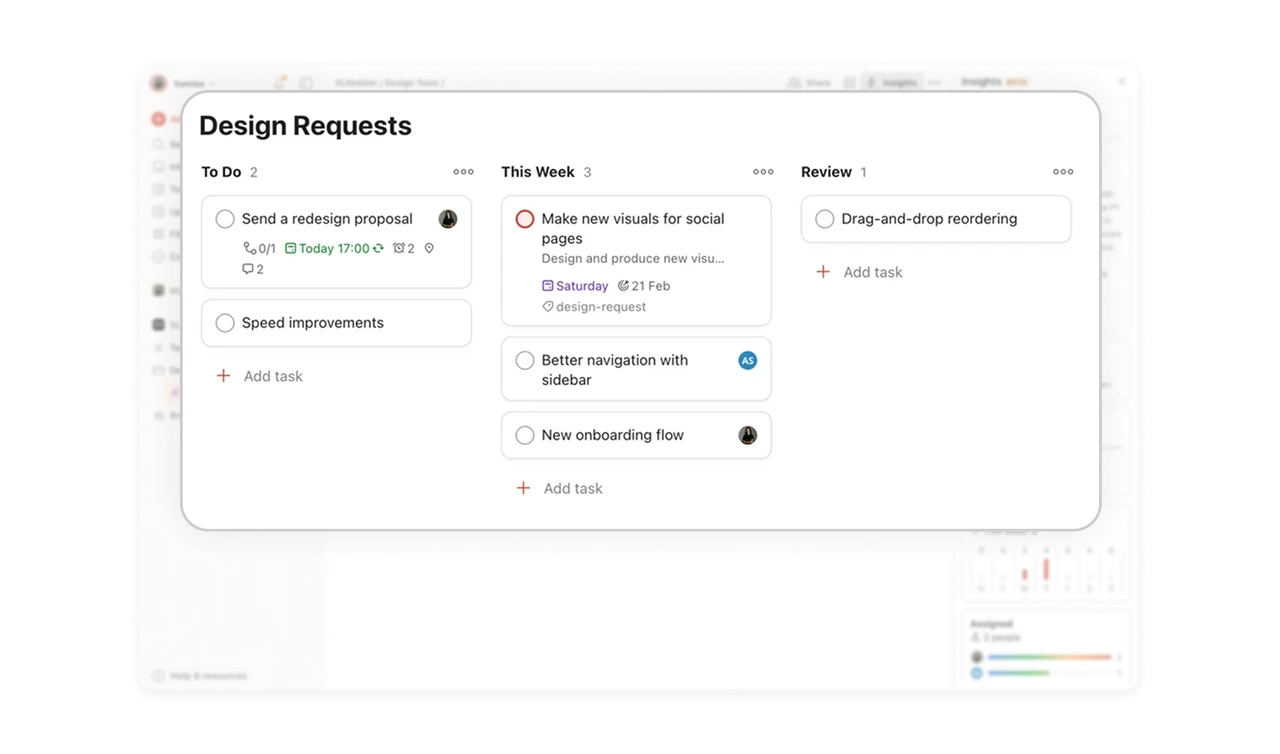
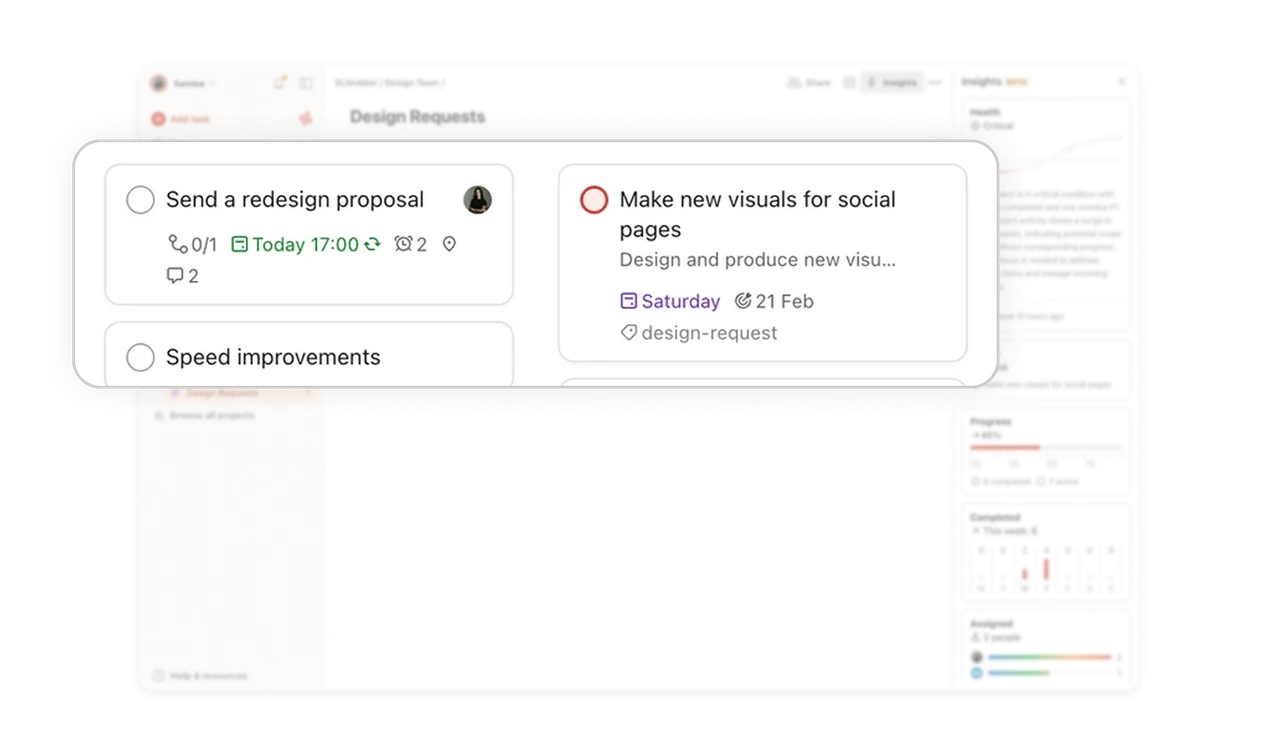
Task cards balance density and readability
Each task card contains multiple details such as assignee avatars, due dates, subtasks, comments, and reminders. Even with this amount of information, the design keeps everything readable through subtle typography and icon usage. Important details like deadlines are highlighted while secondary information stays quiet. This hierarchy lets users scan many tasks quickly without feeling overwhelmed.
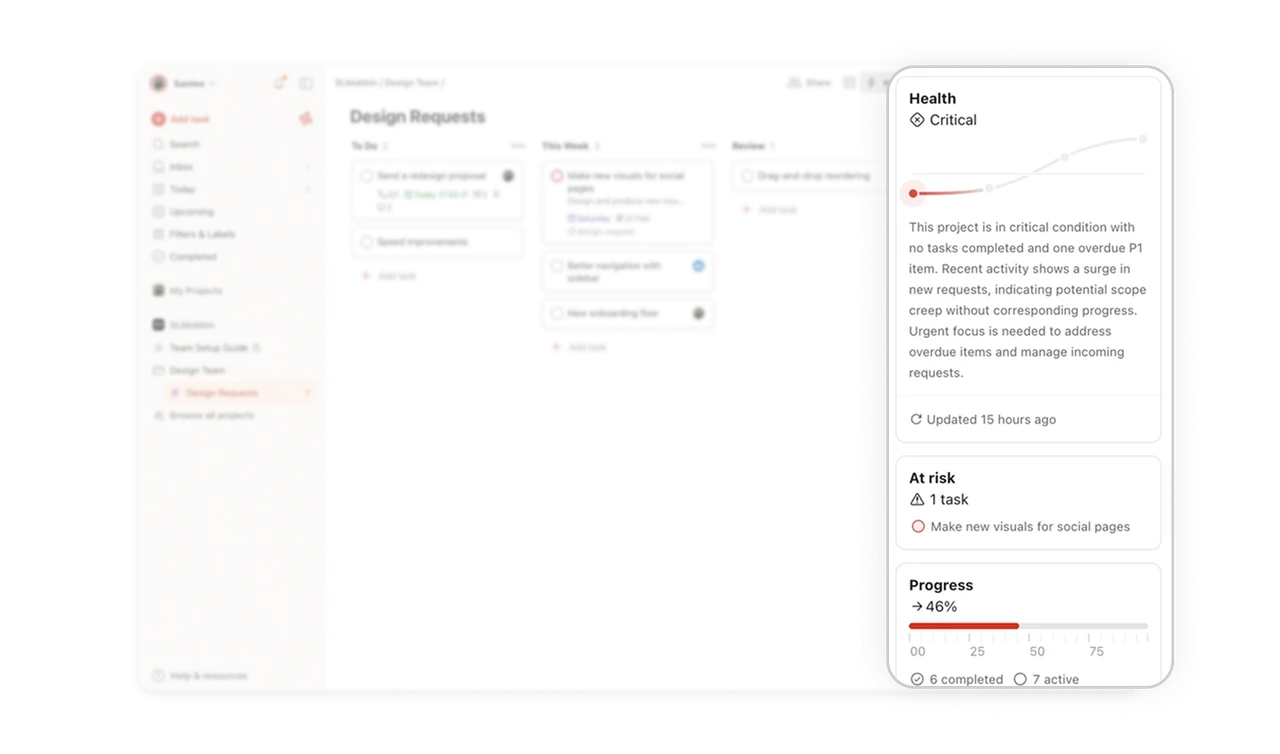
Insights panel gives a high level understanding of progress
The Insights panel on the right provides analytics about project health, progress, and completed tasks. Instead of forcing users to analyze every task manually, the dashboard summarizes key signals. Visual indicators such as progress bars, activity graphs, and risk warnings help users quickly understand the state of the project and decide where attention is needed.
Sidebar organizes navigation with clear priority
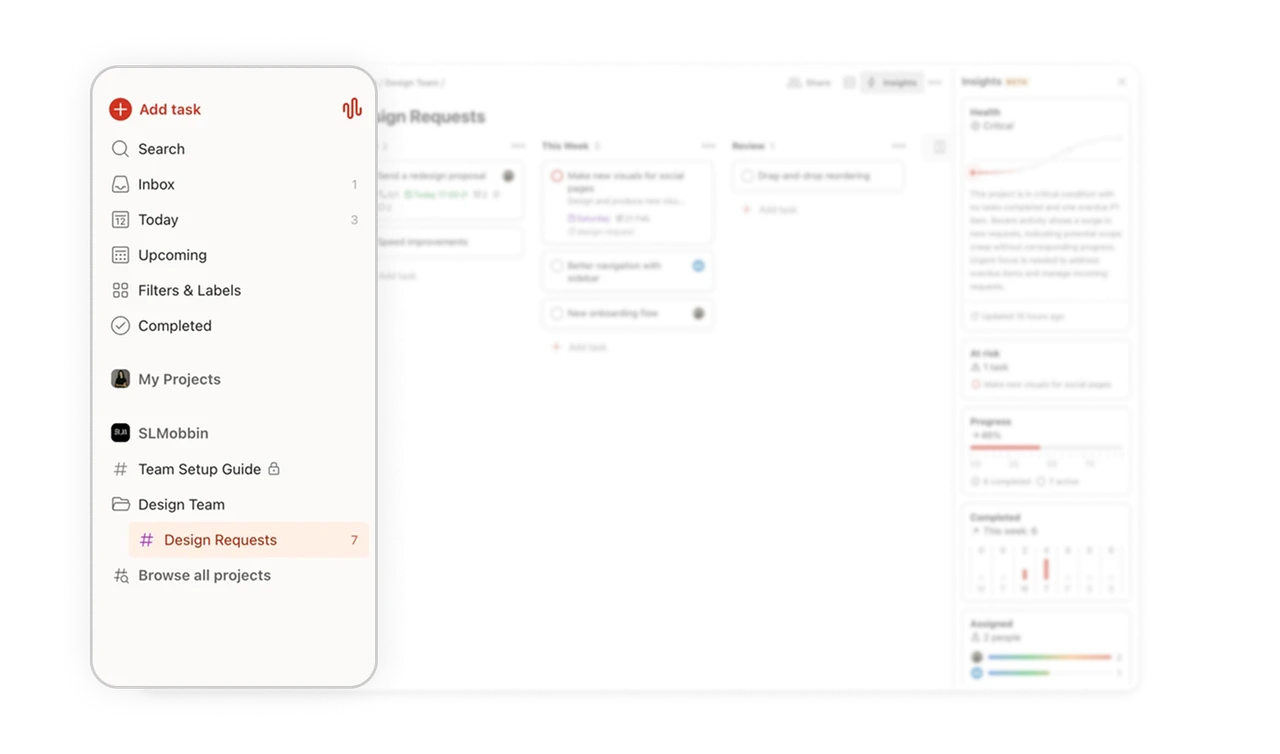
The left sidebar separates global navigation, personal views, and project spaces. Icons and spacing create clear visual grouping which makes navigation feel predictable and easy to scan. The Add task button stands out as the main action of the product. Highlighting the primary action ensures users can quickly capture tasks without searching for the entry point.
Minimal UI keeps the focus on the work itself
The overall interface uses a restrained color palette, generous spacing, and subtle dividers. This minimal approach prevents visual noise and keeps attention on the tasks rather than the interface. For productivity tools this is important. When the interface stays quiet, users can focus on organizing and completing their work without distraction.
Similar Breakdown Lessons







