Agent Run Review and Optimization

Connect diagnosis to a concrete proposed repair
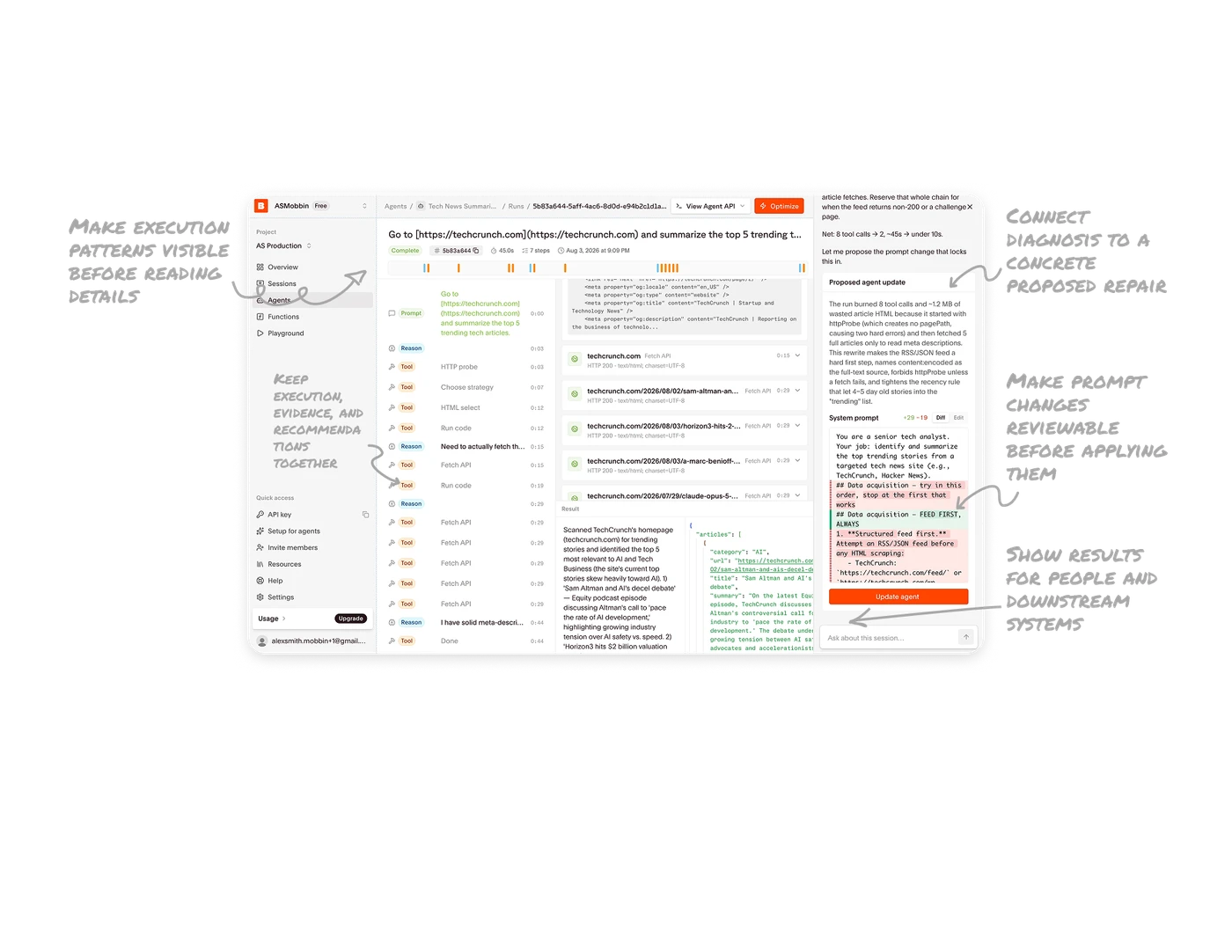
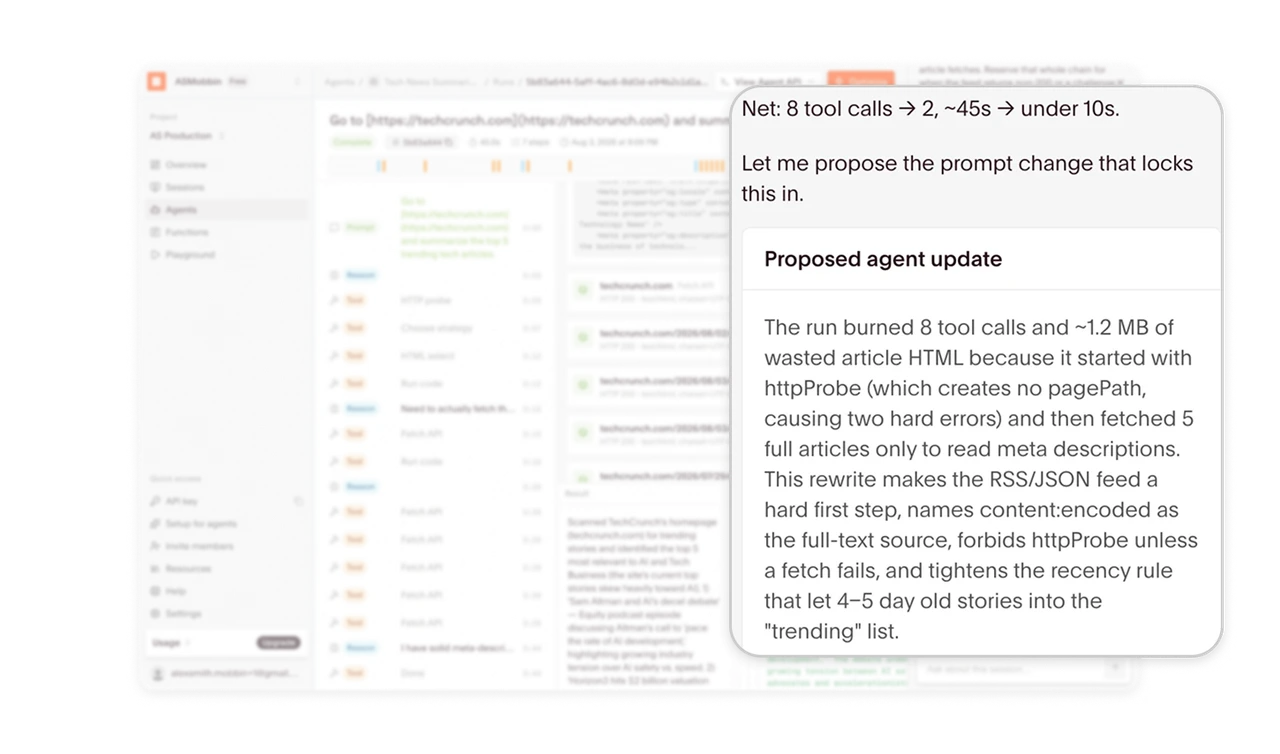
The optimizer identifies unnecessary fetches, proposes a prompt rewrite, and projects reductions in tool calls and runtime. This connects the reported problem to a specific remedy and a reason to consider it. When helping users improve an automated workflow, explain what went wrong, what should change, and what that change could achieve. Present expected gains as proposals until another run confirms them.
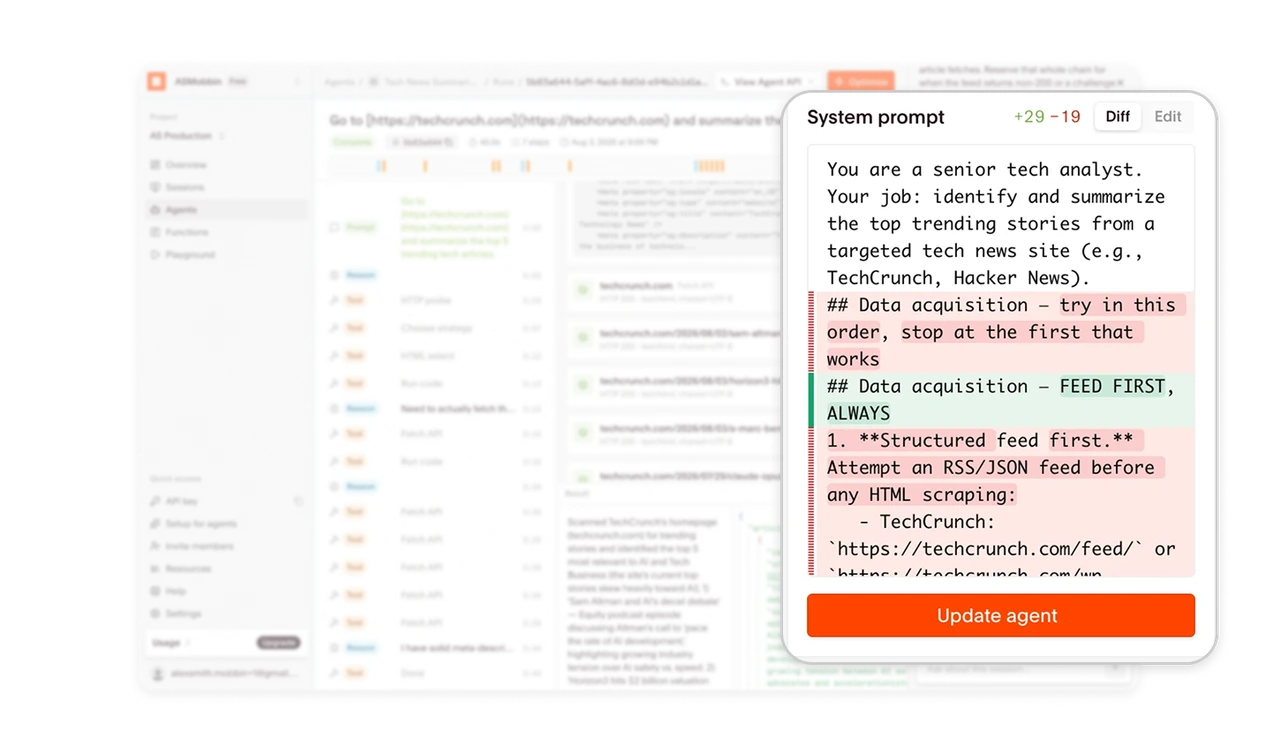
Make prompt changes reviewable before applying them
The system-prompt proposal uses red deletions, green additions, and “+29 −19” counts, with Diff, Edit, and Update agent controls. Familiar change-review conventions make the proposed rewrite easier to inspect without comparing entire prompts from memory. When AI suggests changes to instructions or configuration, expose the exact differences and a clear application action. Give users room to evaluate and revise the proposal.
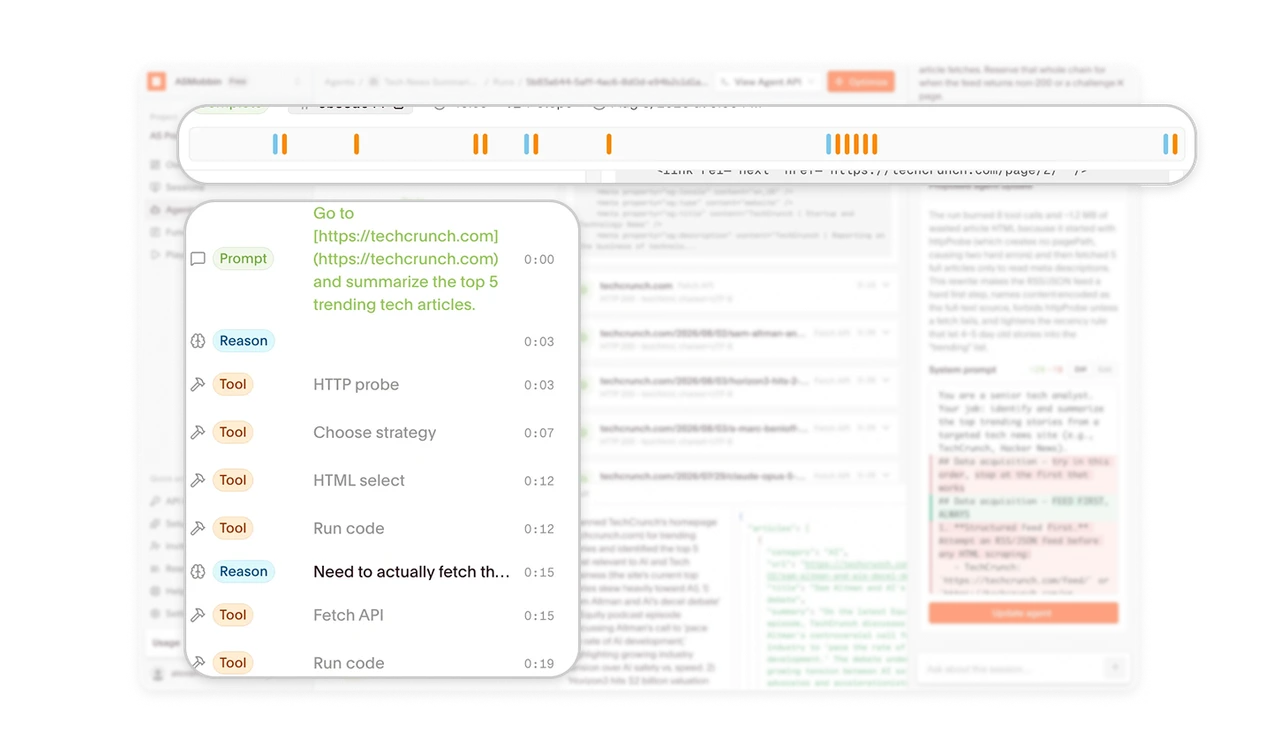
Make execution patterns visible before reading details
A compact strip of colored marks sits above a timestamped trace labeled “Prompt,” “Reason,” and “Tool.” The strip provides a visual overview of activity clusters, while the labeled rows identify individual events. For lengthy execution histories, pair an overview with a consistent event vocabulary. Reviewers can locate concentrations of activity before examining details, with text and icons supporting the color distinctions.
Keep execution, evidence, and recommendations together
The workspace places the execution trace on the left, fetched content and results in the center, and the optimizer’s proposal on the right. Reviewers can compare what happened, what came back, and what the assistant recommends within one view. In diagnostic tools, arrange related evidence around the judgment users need to make. Co-location makes recommendations easier to check against the underlying record.
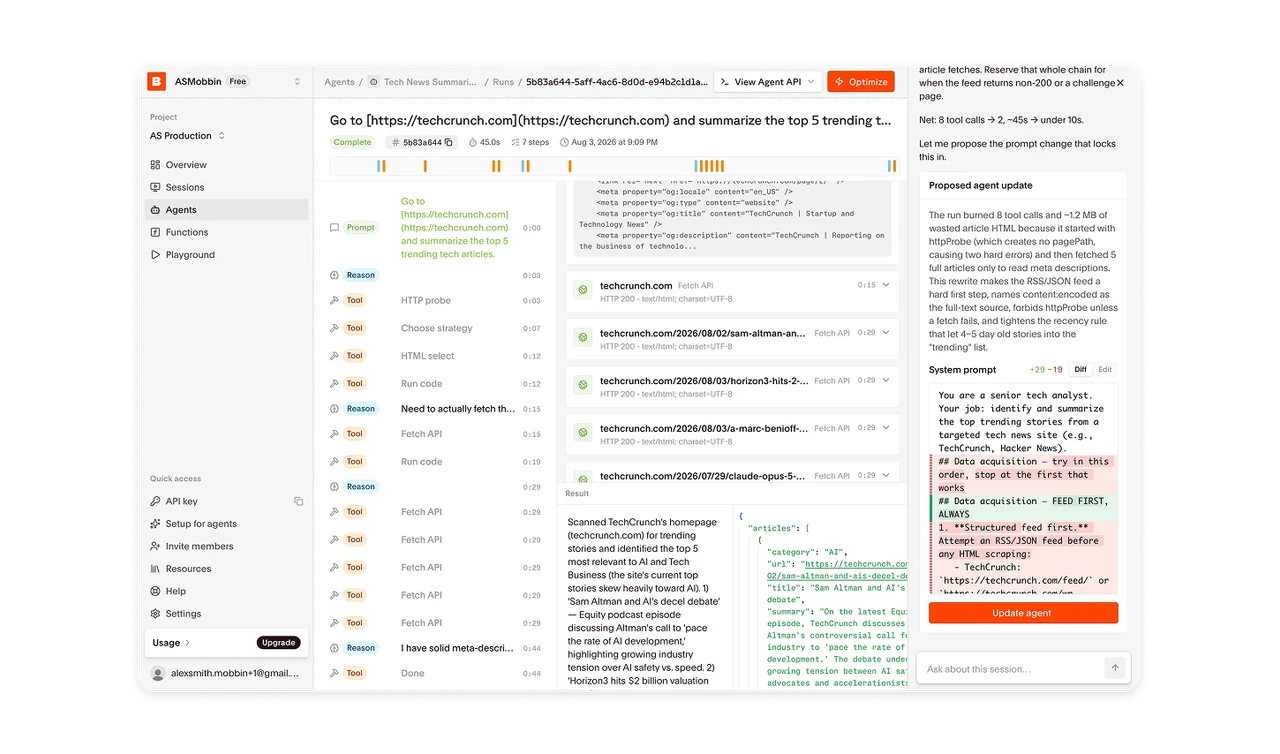
Show results for people and downstream systems
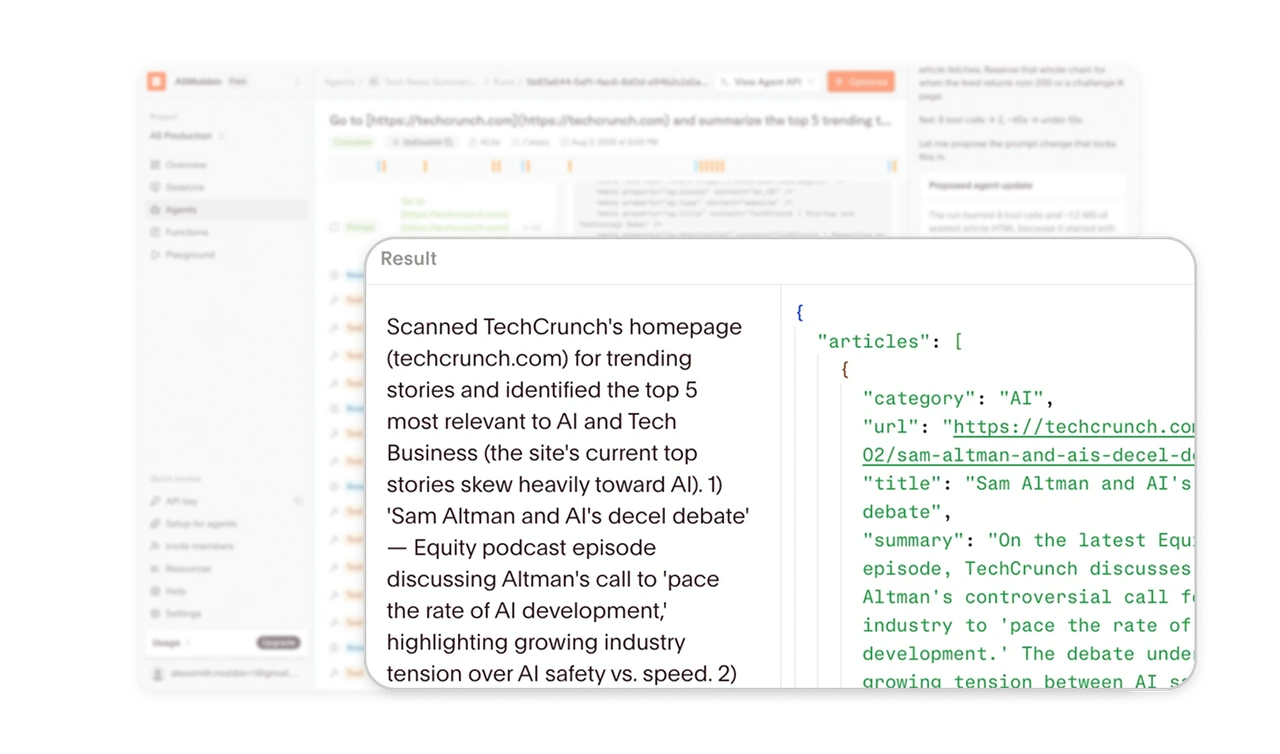
The result area places a readable summary beside JSON containing fields such as category, URL, title, and summary. The prose supports judging the answer’s meaning, while the structured view exposes the fields available for downstream use. When an agent serves people and software, show both representations together. Reviewers can then inspect the content and its organization within the same working context.
Similar Breakdown Lessons