AI Site Setup

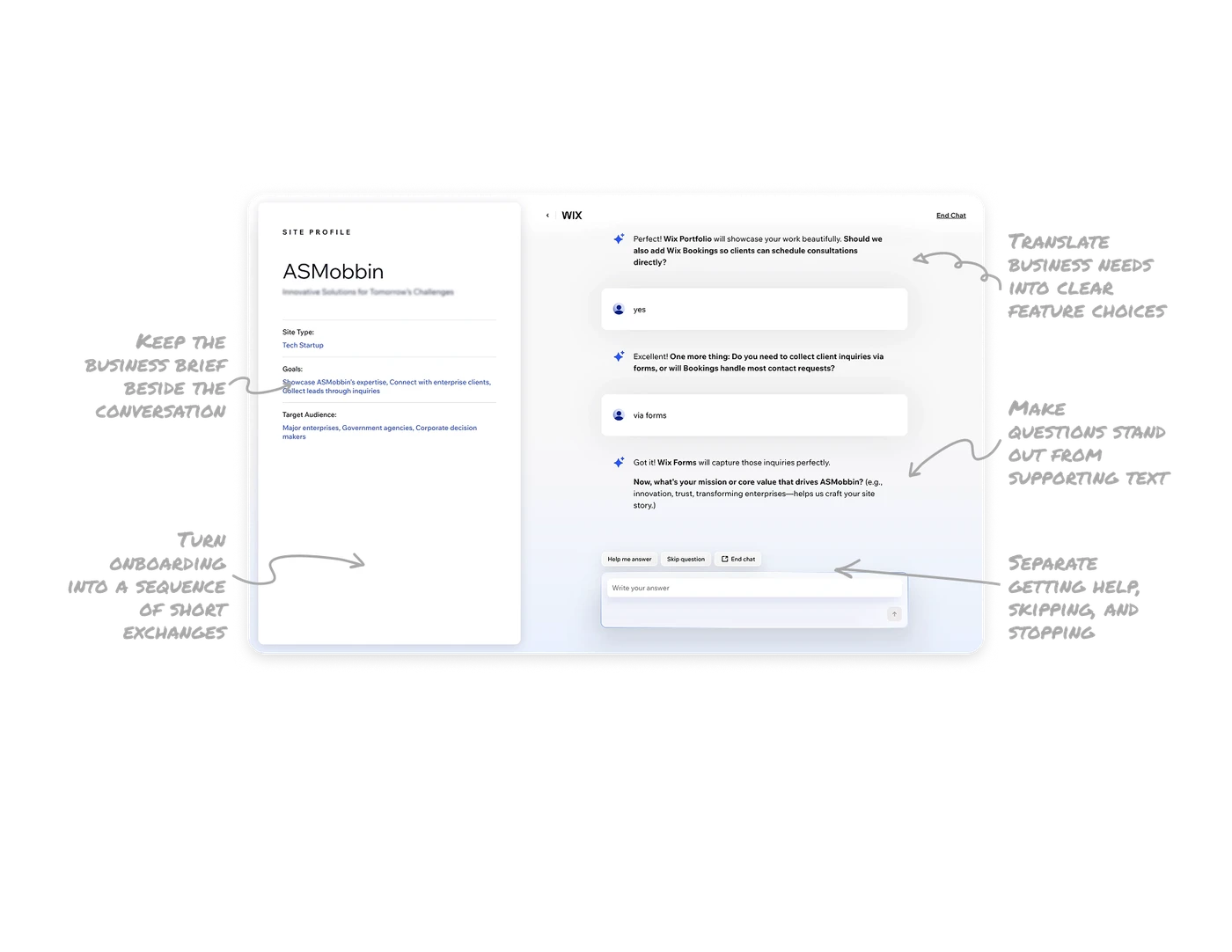
Keep the business brief beside the conversation
The Site Profile displays the site type, business goals, and target audience beside the conversation. These labeled fields give users a concise brief they can inspect without reconstructing it from previous messages. When an AI interview gathers requirements, keep the brief visible and let it develop as answers arrive. Turning the conversation into a reviewable result gives users a way to check how their business is being framed before that information guides the next stage.
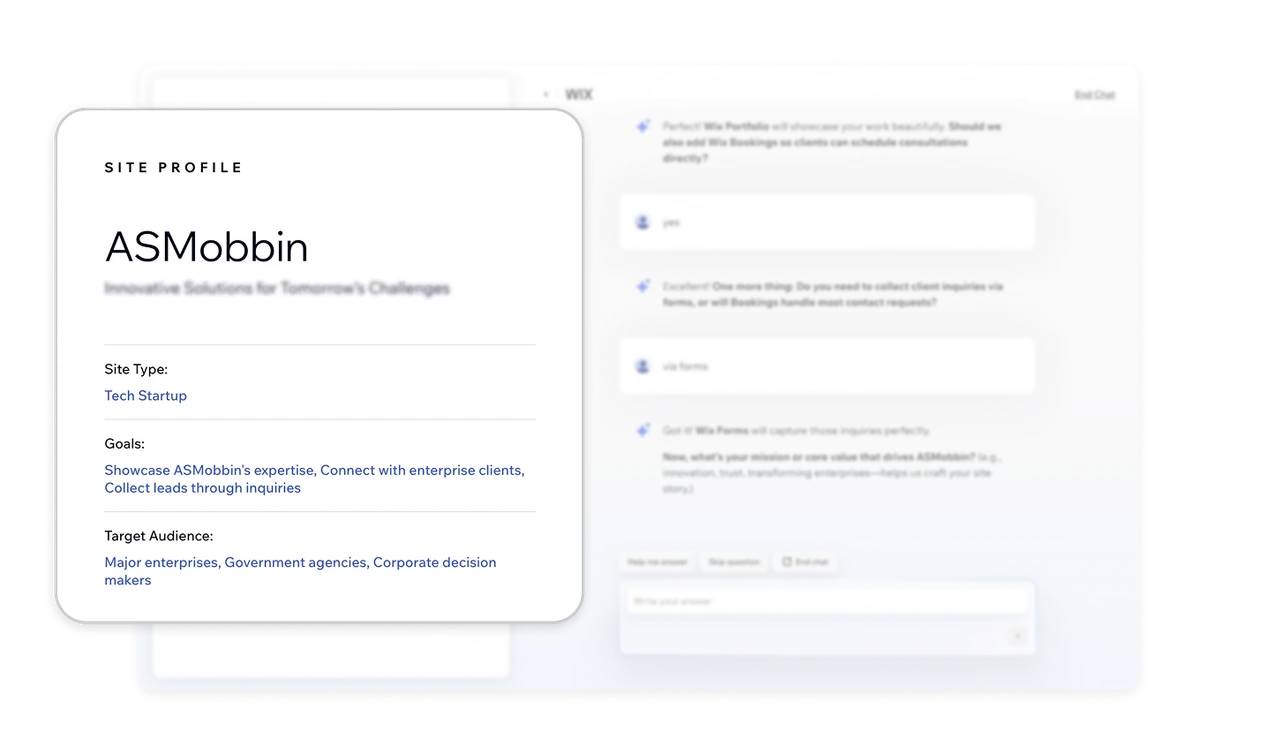
Make questions stand out from supporting text
Questions and feature names appear in bold, while acknowledgments, examples, and supporting explanations generally use regular weight. In the current message, the mission question stands apart from its examples and the reason for asking it. This gives the different parts of a conversational response distinct visual roles. When chat combines acknowledgments, guidance, and a request, emphasize what users need to notice and answer while keeping supporting text visually secondary.
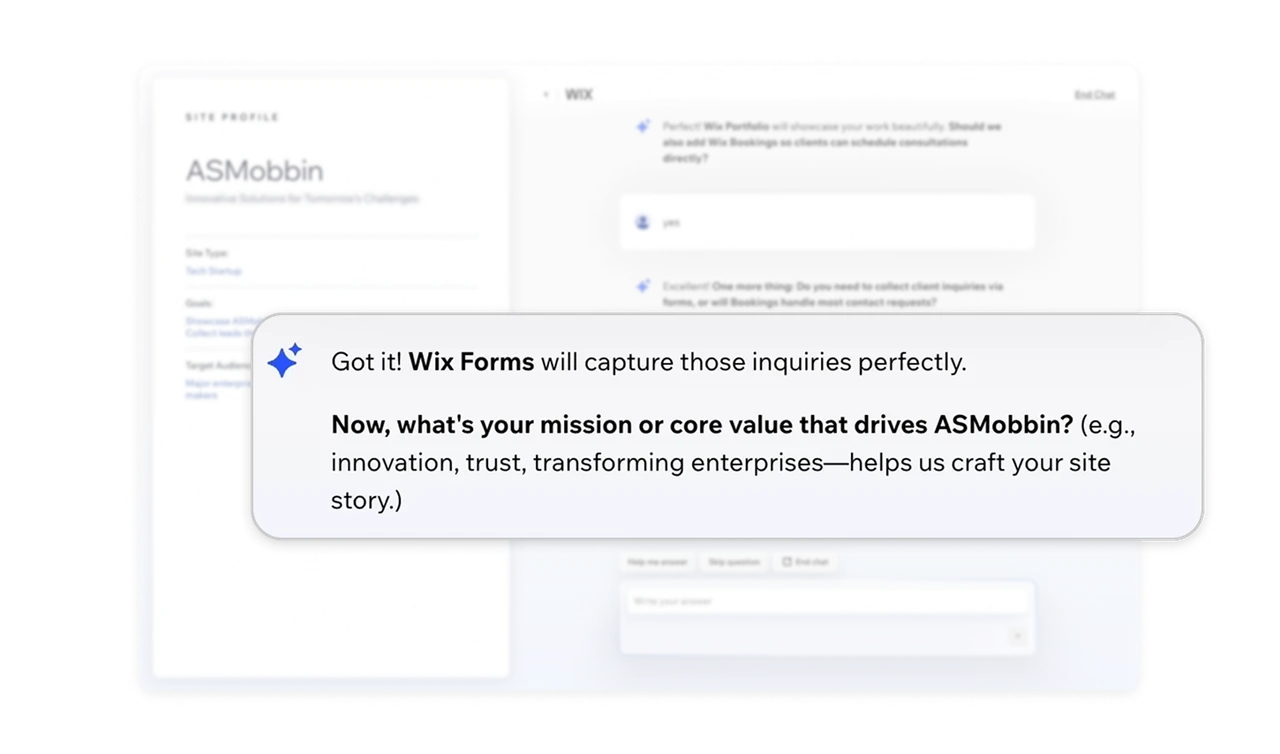
Translate business needs into clear feature choices
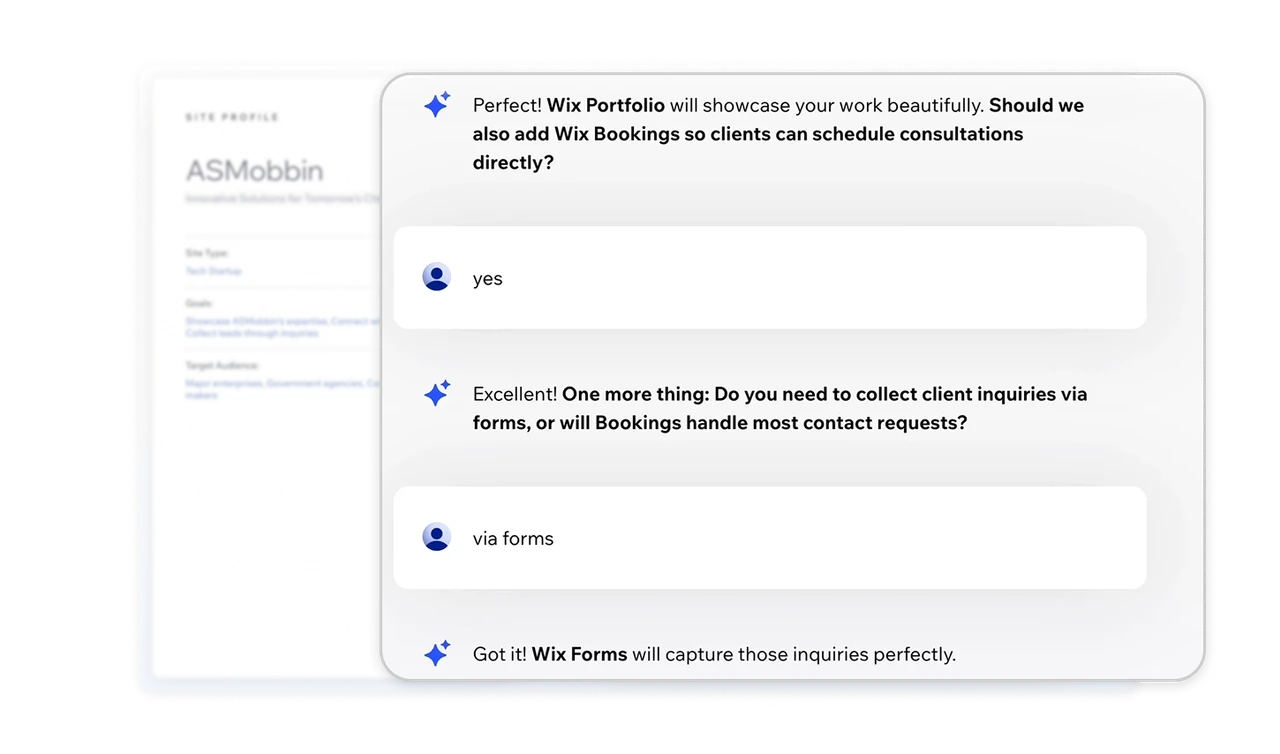
The assistant introduces Wix Bookings through its purpose: letting clients schedule consultations. Later, it translates “via forms” into Wix Forms capturing inquiries. These moments connect business needs to named capabilities, first when proposing a choice and then when confirming an interpretation. When conversational input shapes a setup, explain each option’s job and echo what the answer means so users can evaluate the capability and check that their response was understood.
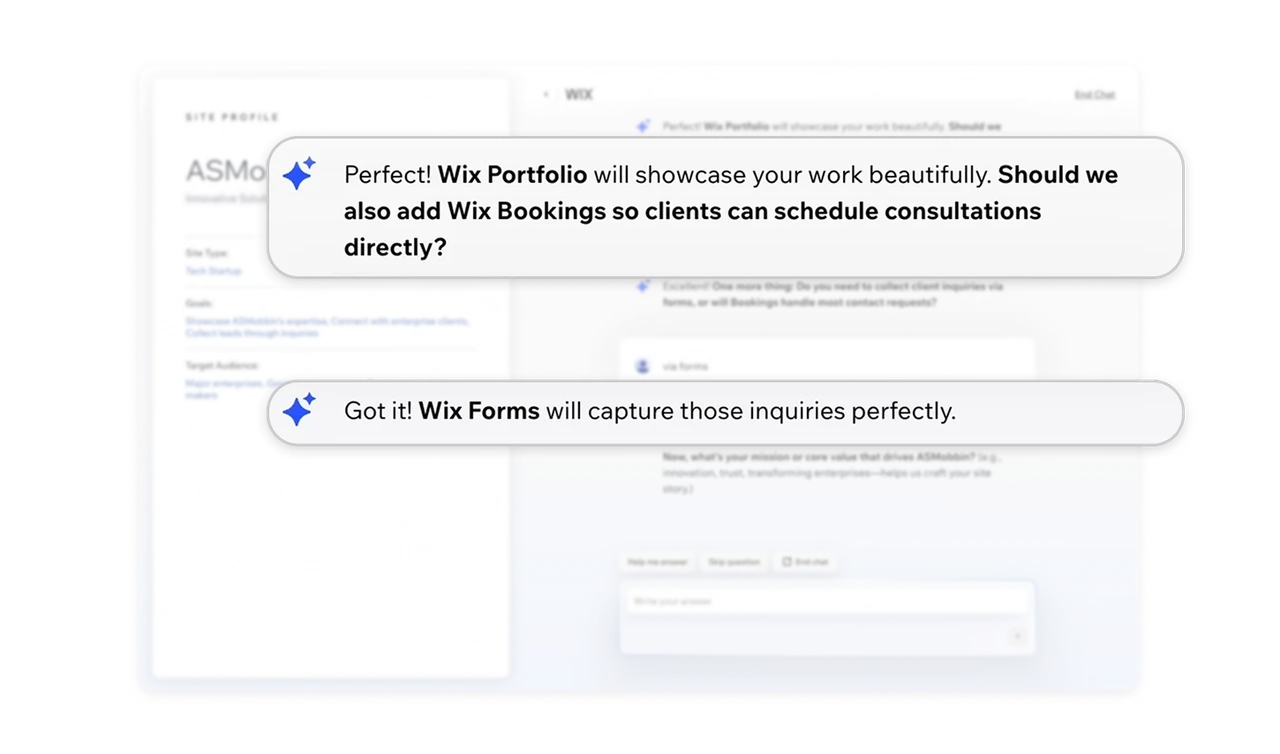
Turn onboarding into a sequence of short exchanges
The onboarding chat moves from bookings to contact forms and then the company’s mission, with earlier exchanges visible above the answer box. Responses such as “yes” and “via forms” show how a focused question can be resolved in a few words. This familiar question-and-answer structure divides requirements gathering into manageable exchanges. When onboarding involves several decisions, guide users through focused topics while letting them answer in ordinary language and refer back to what they have already said.
Separate getting help, skipping, and stopping
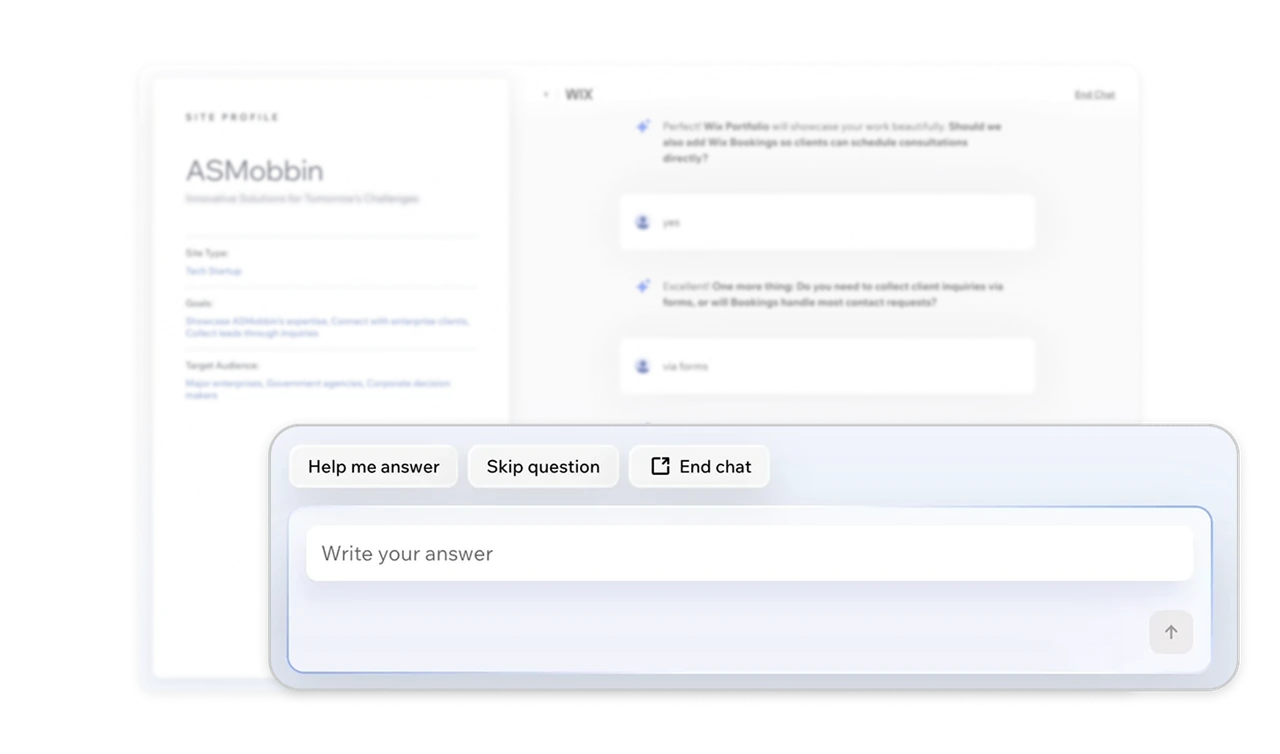
Above the answer box, “Help me answer,” “Skip question,” and “End chat” provide three distinct options. Users can ask the assistant to help formulate a reply, move past the current question, or leave the interview. These controls distinguish difficulty composing an answer from wanting to omit it or stop altogether. In conversational onboarding, provide explicit ways to handle each situation at the point of response, without requiring users to invent a prompt to navigate the process.
Similar Breakdown Lessons