Class Search

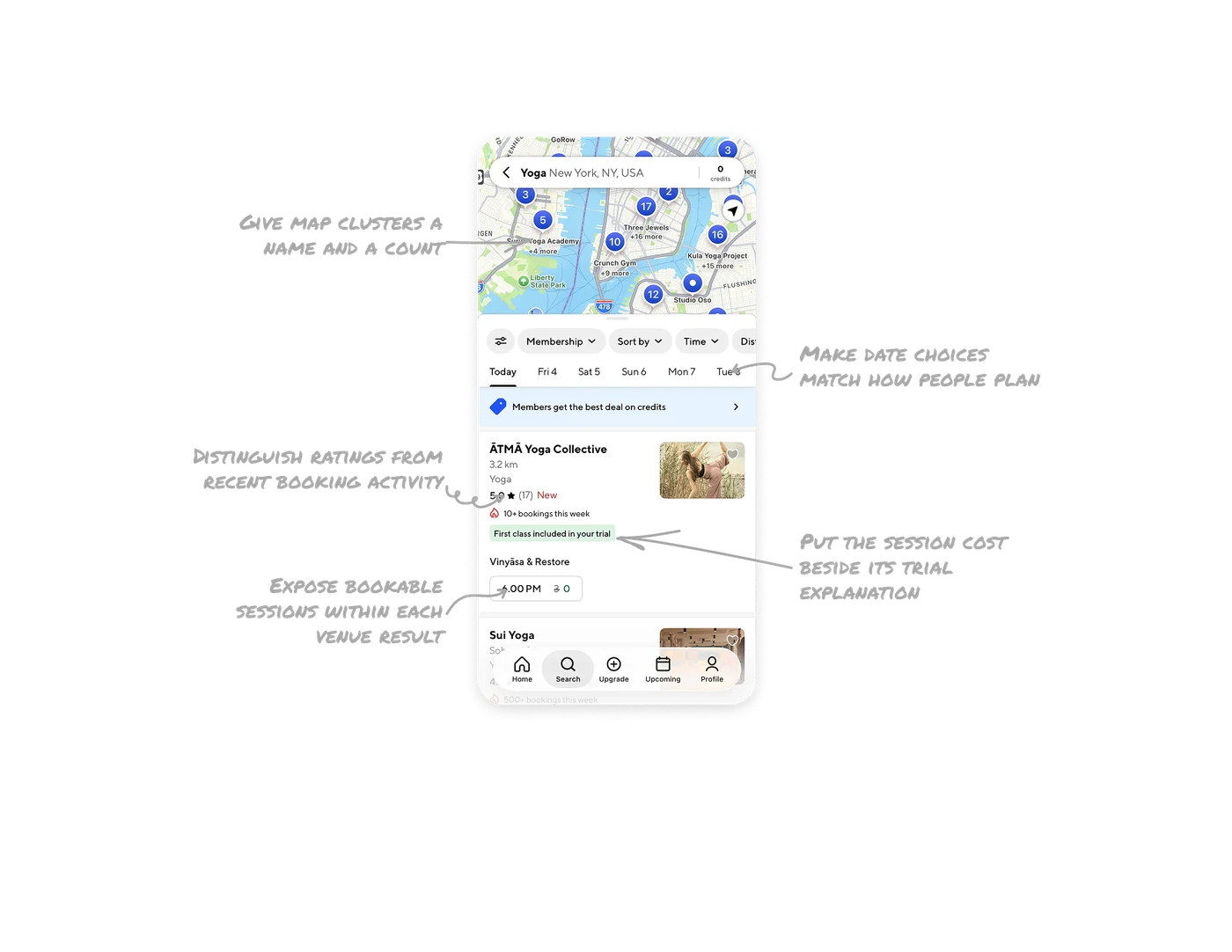
Expose bookable sessions within each venue result
Each result begins with the studio’s name, distance, rating, and image, then presents a named class and a time option with its credit cost. This connects evaluating the provider to choosing a specific session. In booking marketplaces, structure results around the provider, the experience, and its available times. Users can assess whether an option suits them and identify a next step toward reservation within the same card.
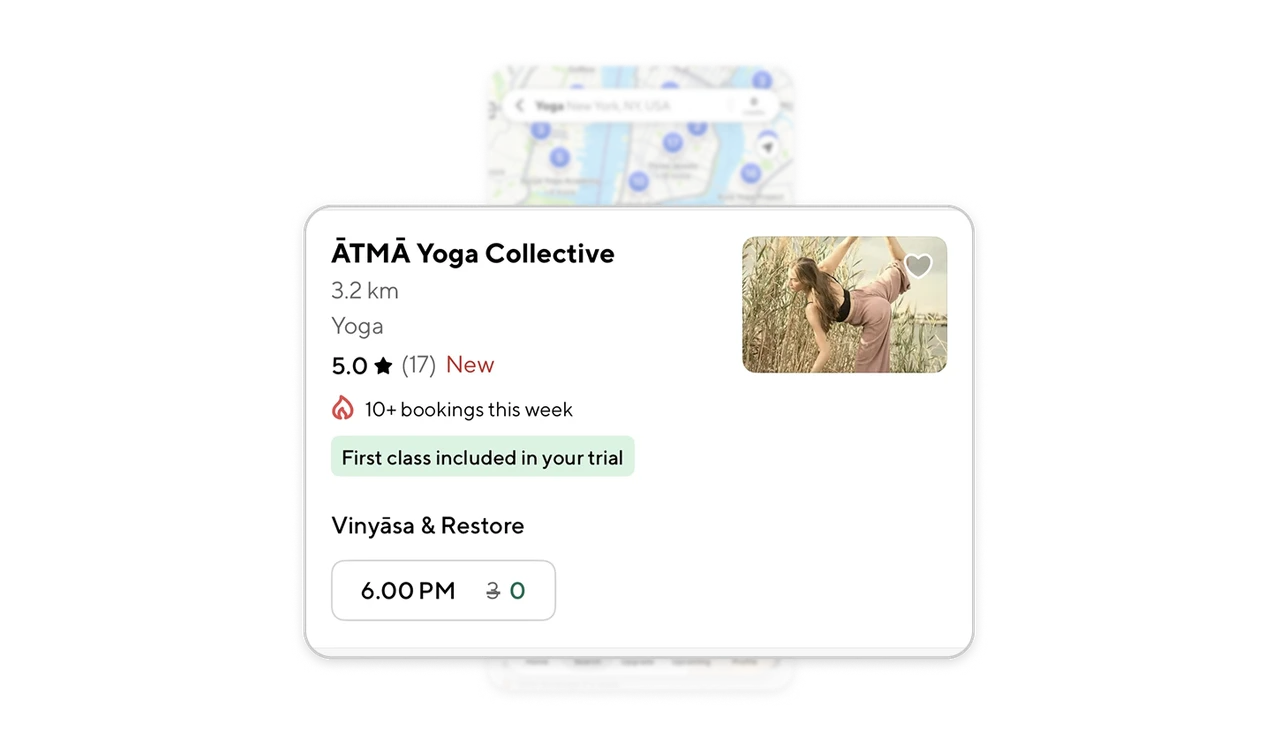
Give map clusters a name and a count
A marker showing “17” is accompanied by “Three Jewels +16 more,” while another pairs “5” with “Surya Yoga Academy +4 more.” Each group communicates both its size and a named place within it. When results are too dense to label individually, combine a total with a concrete example of what the group contains. This gives users more context for choosing which area to explore before opening individual results.
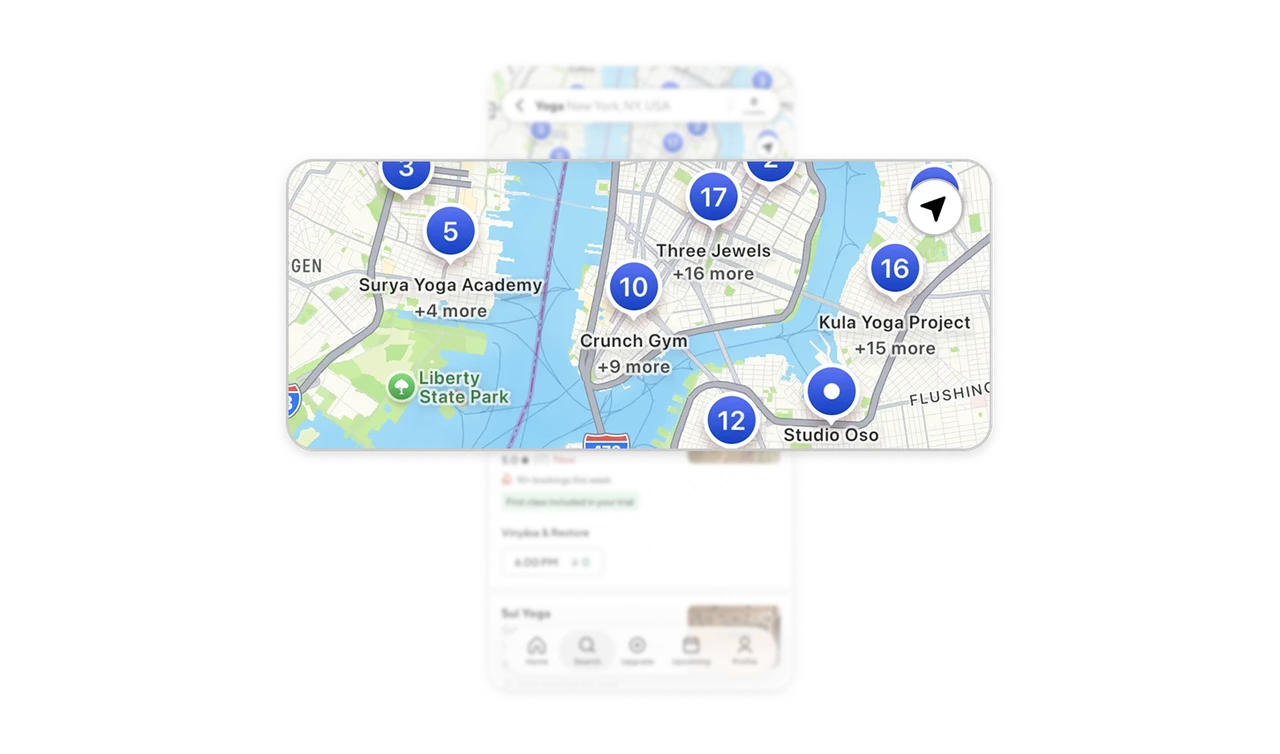
Make date choices match how people plan
The date strip begins with “Today,” followed by weekday-date pairs such as “Fri 4” and “Sat 5.” An underline identifies the selected day, while a separate Time filter supports more specific preferences. The labels accommodate both immediate plans and upcoming commitments. For scheduled services, keep date choices directly above results, using a relative label for the current day and explicit weekday-date combinations for future options.
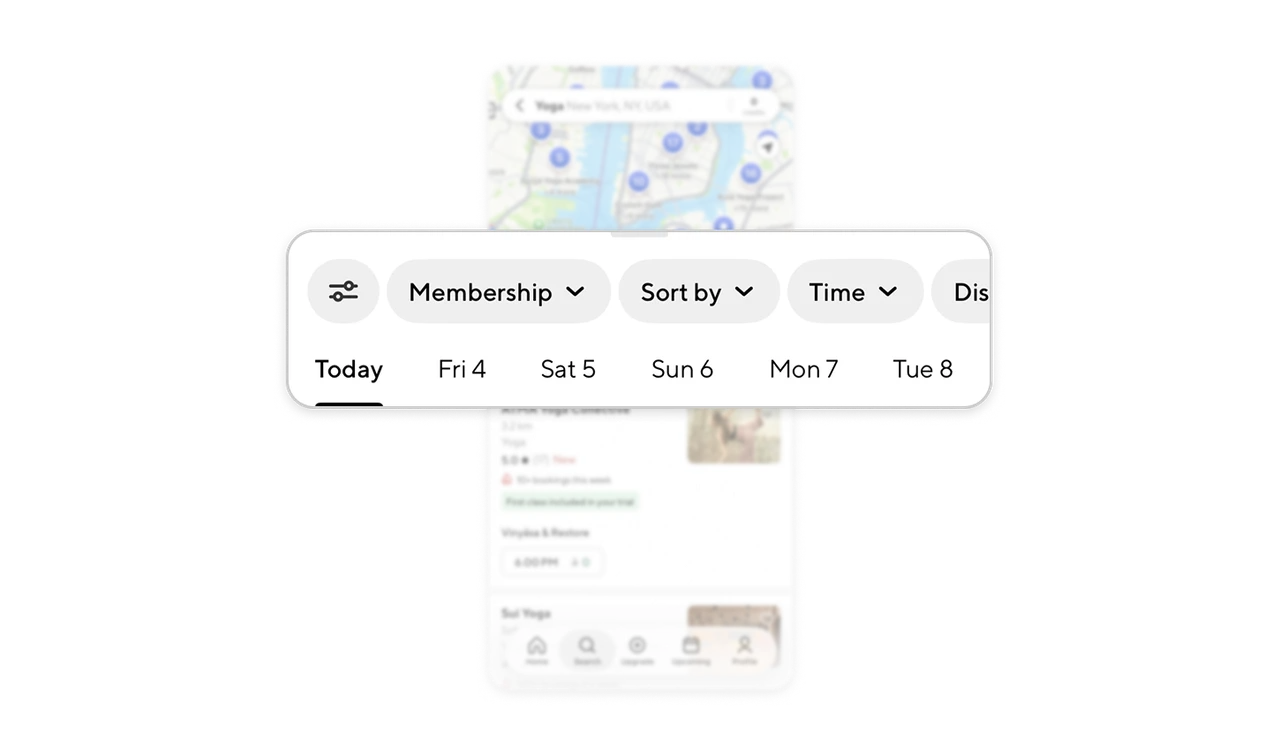
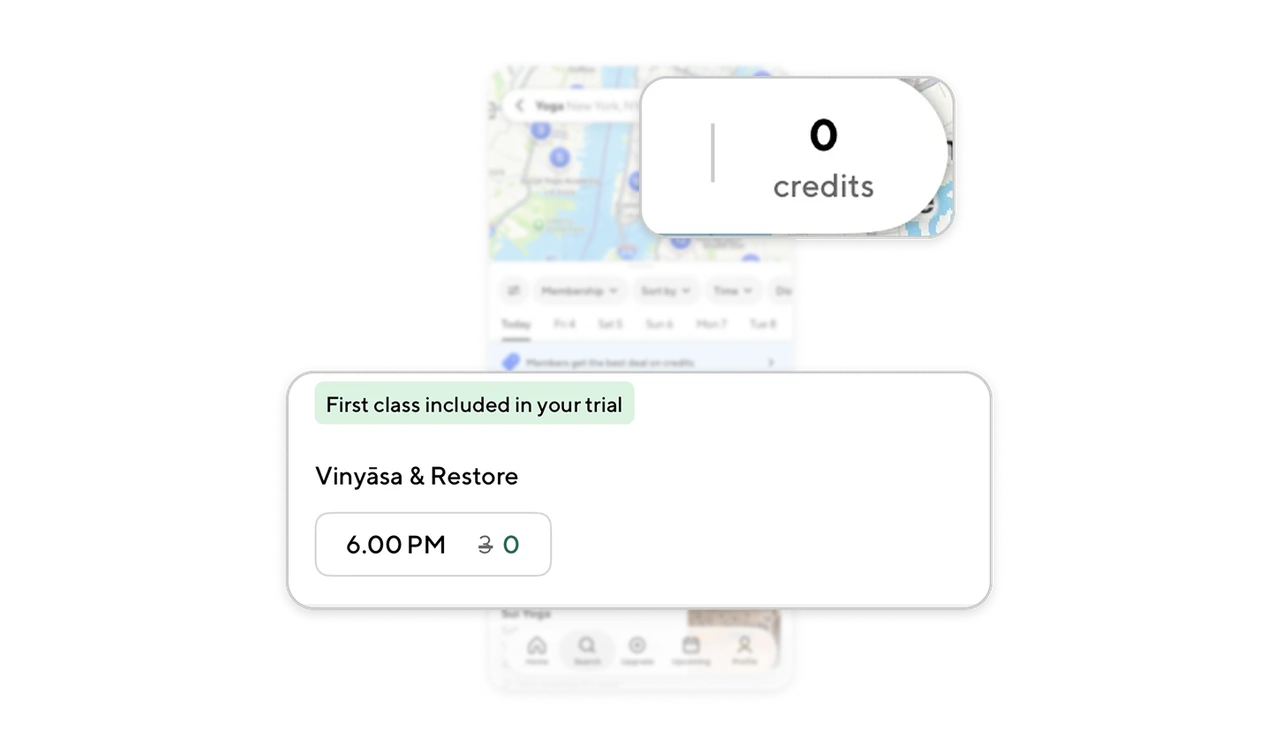
Put the session cost beside its trial explanation
The 6.00 PM session control shows a struck-through 3 beside a green 0. Above it, a pale-green label explains “First class included in your trial.” The header separately displays the account’s 0-credit balance, keeping available credits and the session’s requirement visible together. When a benefit affects pricing, place its condition near the adjusted amount so users can understand what the option requires and why the benefit applies.
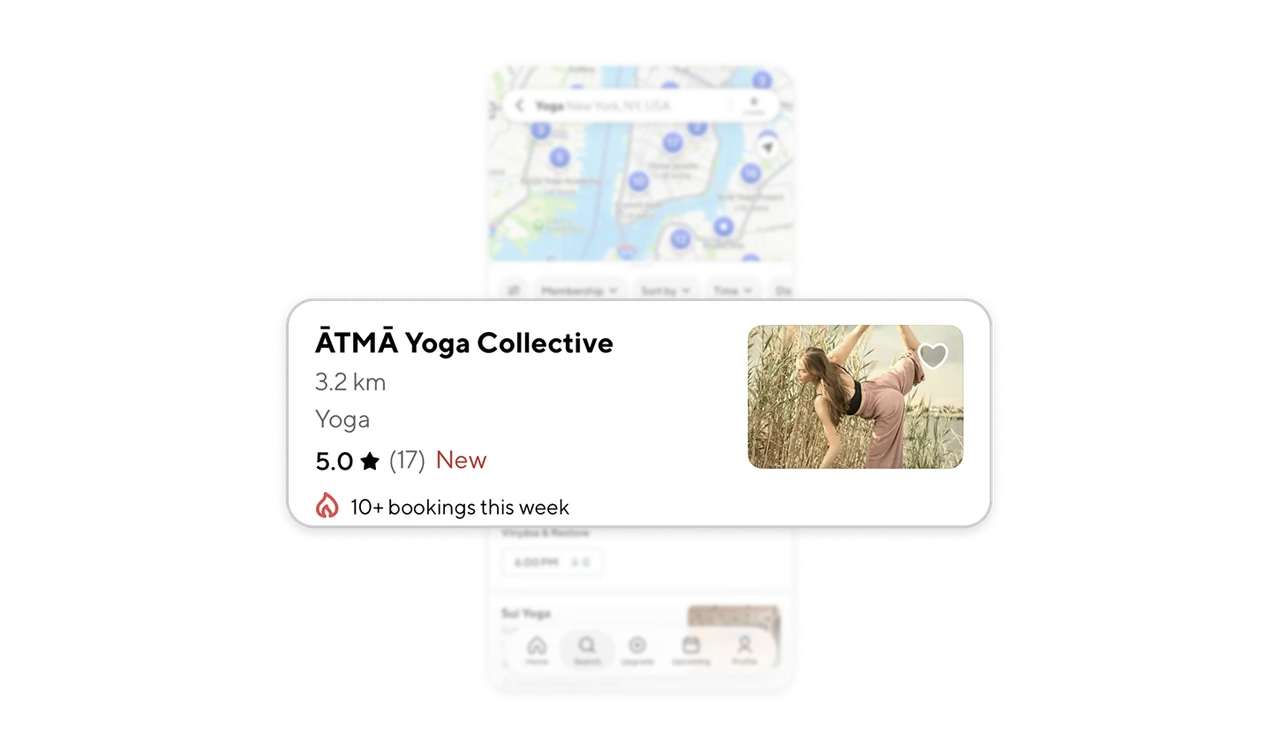
Distinguish ratings from recent booking activity
The studio’s “5.0” rating appears beside a star and “(17),” while a flame icon introduces “10+ bookings this week” on a separate line. Different icons and rows keep past assessments distinct from recent booking activity. When presenting several reputation signals, show the amount of feedback alongside its score and give activity counts a timeframe. Users can then interpret each measure without mistaking popularity for satisfaction or remaining availability.
Similar Breakdown Lessons